.png)
User Synchronization from Google Workspace
Use this procedure to synchronize users and groups from Google Workspace.
Prerequisites
Google Workspace authentication server in MyQ.
Certificates and credentials to an LDAP client, which you get from Google Admin console.
Synchronize Users from Google Workspace
Go to MyQ > Settings > User Synchronization.
Click +Add and select Add LDAP Source.
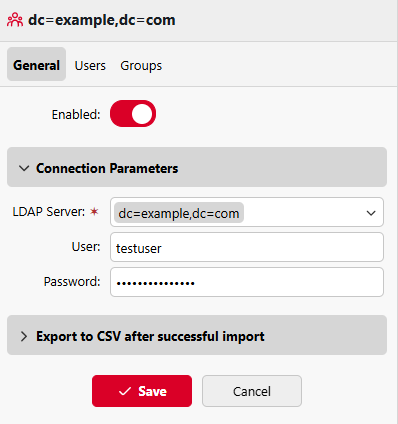
Under Connection Parameters, select the LDAP server, and enter the username and password.
Click +Add to save changes.
On the Users tab, add one or more Base DNs from which to synchronize users.
Configure the remaining options as required, and click Save.
To run the synchronization, go to MyQ > Settings > User Synchronization, and click Synchronize Now. If you have configured everything correctly, users and groups from your Google Workspace directory are now visible under MyQ > Users.
(Optional) To synchronize automatically on schedule, go to MyQ > Settings > Task Scheduler, and configure the User Synchronization task.