
Scans are sent to the email address specified here.
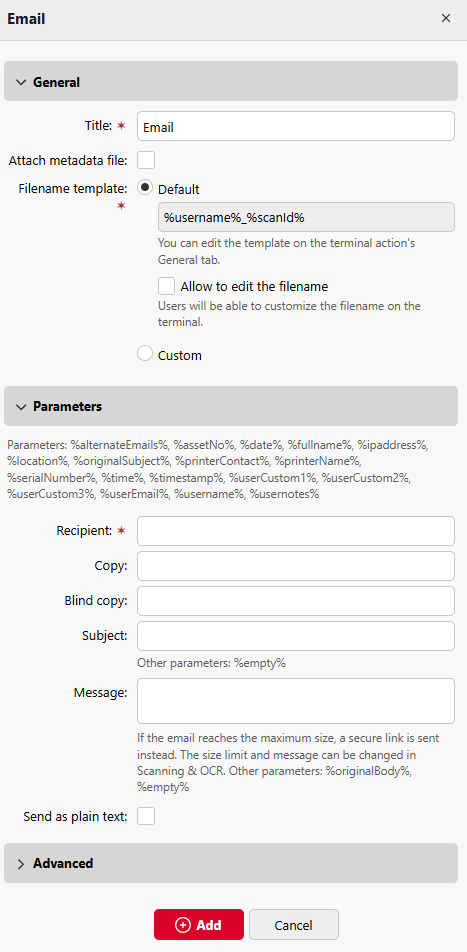
In Parameters > Recipient field, you need to define the email recipient (or recipients).
In addition, you can add recipients of a copy in the Copy text box, recipients of a blind copy in the Blind copy text box, the subject of the email in the Subject text box, and the body of the email in the Message text box.
Emails with scans sent from MyQ contain graphics by default, enable the Send as plain text option to send these emails as plain text, which might be necessary, for example, if the email will be further processed by an automation service or fax servers.
The text boxes under can contain the following parameters: %alternateEmails%, %assetNo%, %date%, %fullname%, %ipaddress%, %location%, %originalSubject%, %printerContact%, %printerName%, %serialNumber%, %time%, %timestamp%, %userCustom1%, %userCustom2%, %userCustom3%, %userEmail%, %username%, %usernotes%, %empty%