Skip to main content
MyQ X Server
MyQ Roger Help Center
MyQ Community
Become a MyQ Partner
MyQ X
MyQ Products EOL Policy
10.3
10.2
8.2 EoL
Print Server
Central Server
English
French
German
Italian
Portuguese
Spanish
English
French
German
Italian
Portuguese
Spanish
Main navigation
MyQ X Server
Close
10.3
10.2
8.2 EoL
Print Server
Central Server
English
French
German
Italian
Portuguese
Spanish
English
French
German
Italian
Portuguese
Spanish
Main
MyQ Roger Help Center
MyQ Community
Become a MyQ Partner
MyQ X
MyQ Products EOL Policy
Main
What's New in 10.3
Latest Release Notes
Licenses
System Requirements
Installation
MyQ Easy Config
MyQ Web Interface
MyQ System Settings
Printers
Users
Queues
Jobs
Scanning & OCR
Accounting
Reports
Report Types
Reporting Sources
Creating Reports
Running Reports
Aggregated Columns in Reports
Counts and Sheets in Reports
Connect to Power BI Tools
Configure Power BI Embedded DB
Create Power BI Reports Manually
Create Power BI Reports via Template Import
Sample Power BI Reports
DB Views and Dimensions
Available languages
Release History
Guides in PDF
Breadcrumbs
Home
MyQ X Server
Reports
Connect to Power BI Tools
On this Page
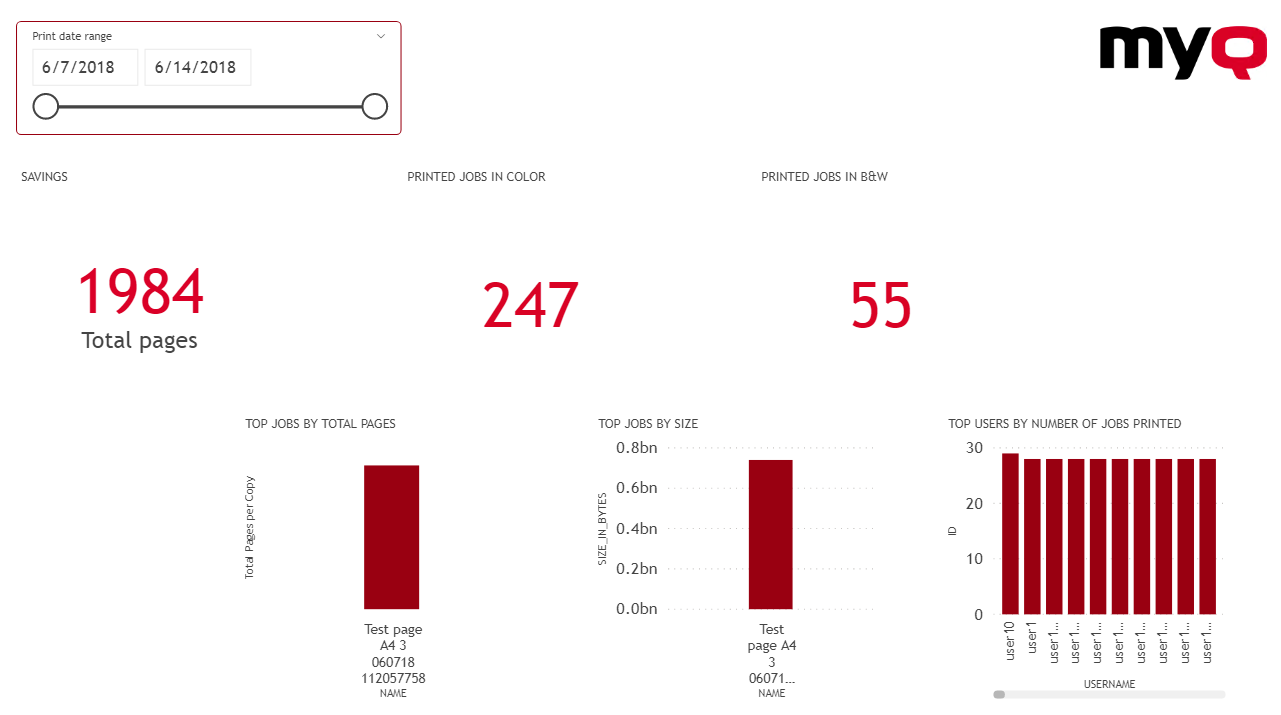
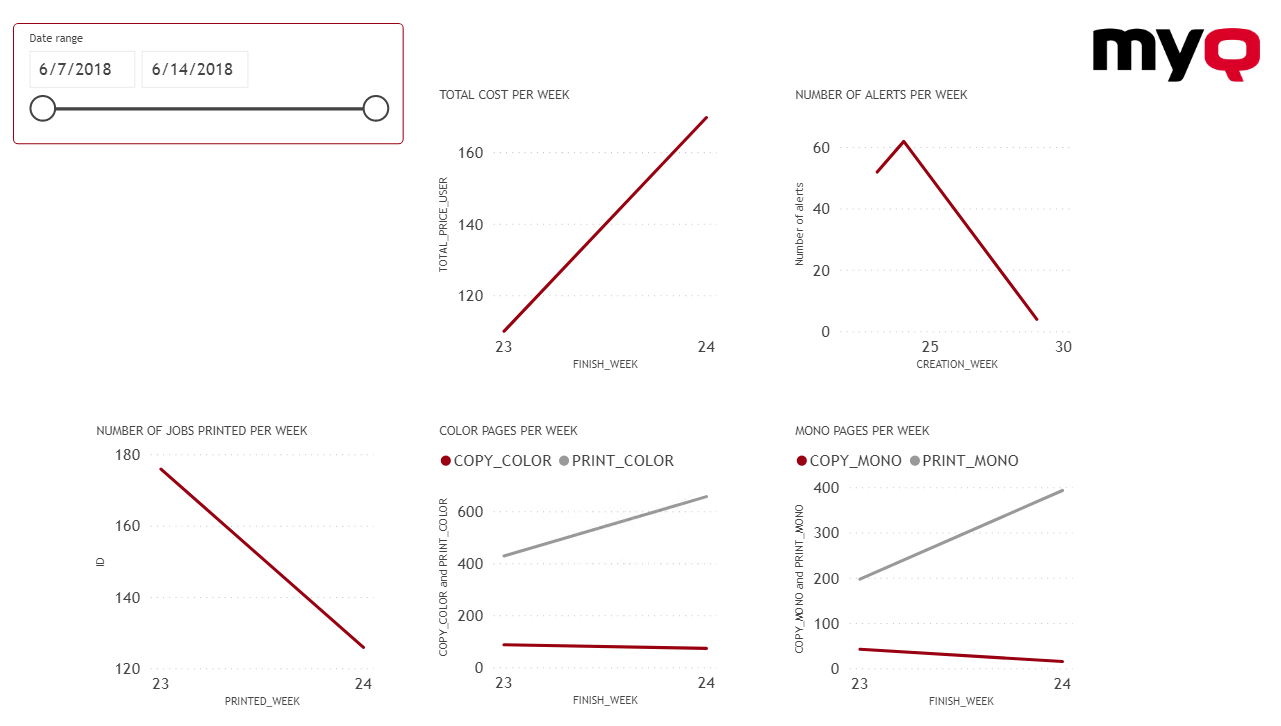
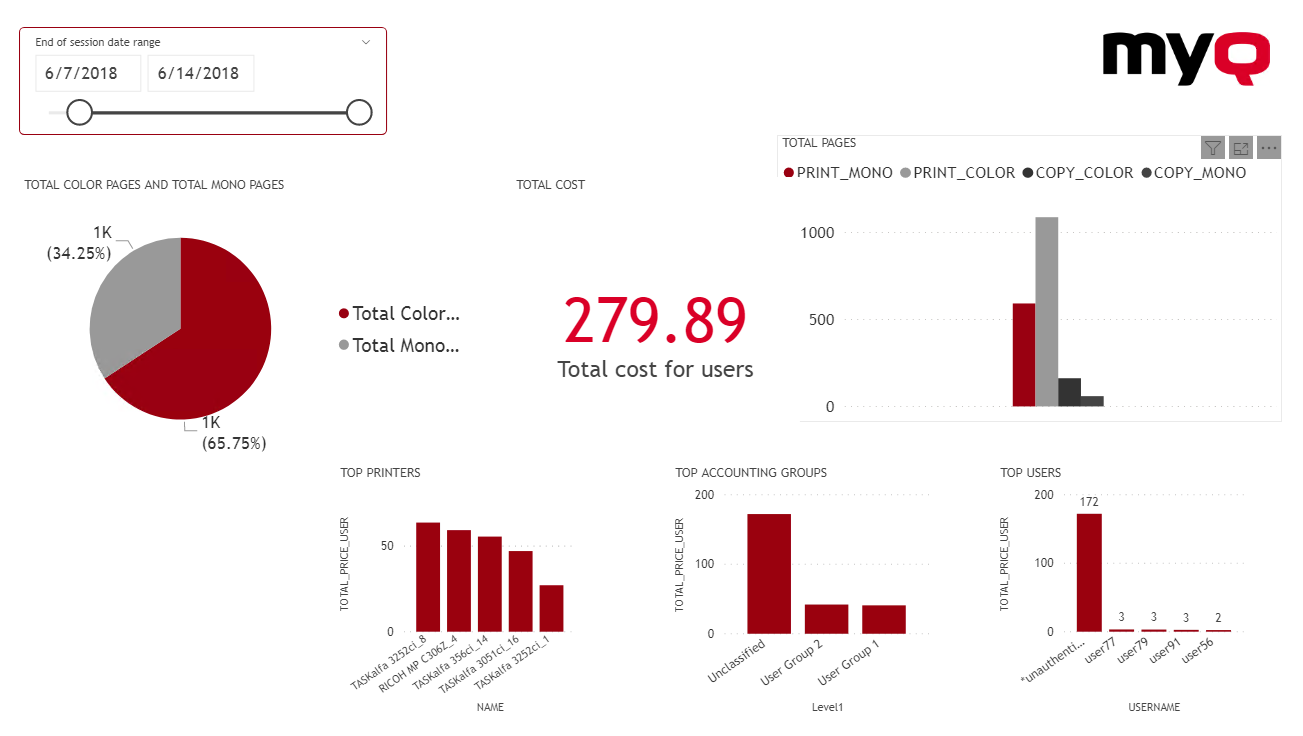
Sample Power BI Reports
The examples below were generated using the MyQ template.