
You add new projects in the Projects tab.
-
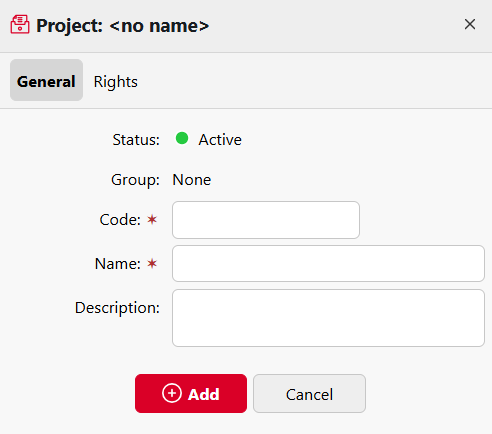
Go to MyQ > Projects and click +Add project. The new project properties panel opens.
-
On the General tab, enter the following:
-
Code: a unique code for the project
-
Name: a name to identify the project
-
Description: add an optional description.
-
-
Click Add or Save.
-
Click on the Rights tab, to manage user rights to the project (all users have rights to a project by default). On the bar at the top of the Rights tab, click +Add User. The Select user or group dialog box appears, where you can select the user (or group of users) that you want to provide with rights to the project, and then click OK. To remove the rights from a user, select the user and click the trash can button.