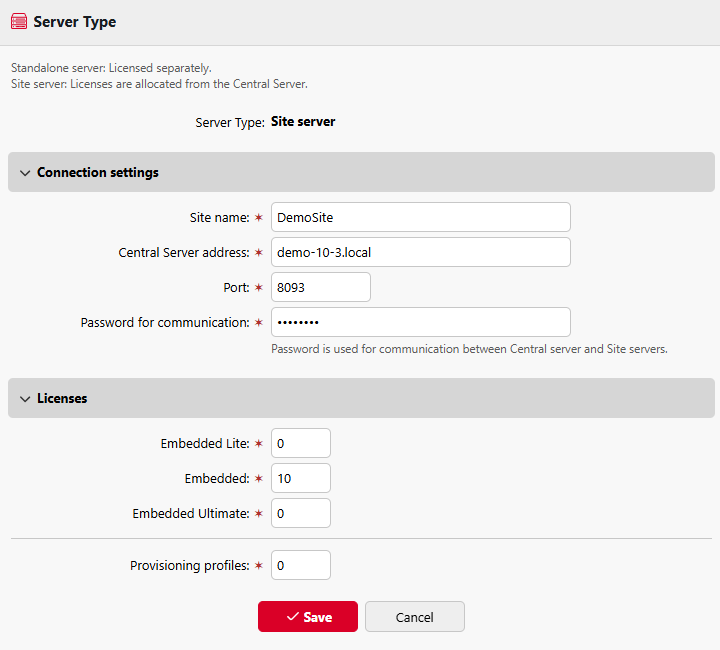
In MyQ > Settings > Server Type, the MyQ administrator can change the server from standalone to site. By default, all installations start as a standalone server. If you plan to use a single MyQ installation as your Print Server, do not change the server type.
To configure your installation as a site server, change the server type to Site server, and configure the site to connect to your Central Server.
-
Site name: choose a name to identify your site server.
-
Central Server address: the Central Server hostname or IP address.
-
Port: the Central Server incoming port (default: 8093).
-
Password for communication - password used for the communication between the MyQ Central server and Site servers. Set the password on the Central Server in MyQ > Settings > General.
Next, enter the licenses that the Site Server should claim from your Central Server.
-
Embedded Lite terminals or release stations
-
Embedded terminals
-
Embedded Ultimate terminals to use with MyQ Scan Review
-
Provisioning profiles