
Printer Provisioning Profiles (3P) are a paid feature, purchased via Provisioning Profile Licenses. These are licenses added on to a perpetual or subscription license, much like Embedded Terminal Licenses.
Disabling a printer provisioning profile does not make another license available; only deleting profiles does.
Free Profiles
Before migration to 3P, an unlimited number of profiles can be created for testing and preparation purposes, however they will not function (no printers will be deployed to Desktop Client).
Enterprise and Ultimate customers receive a number of free profiles, depending on their license plan:
-
Perpetual plan – 2 free profiles.
-
Subscription plan – 5 free profiles.
These profiles are instantly available to them after they upgrade to Print Server 10.2 patch 21 with their current license key or, in the case of accounts created after patch 21, once they activate their Enterprise license.
Additional Profiles
Additional Provisioning Profile Licenses can be purchased for your installation key in packages of 5, 50, or unlimited profiles from the Partner Portal.
|
Period |
Included 3P profiles |
Notes |
|---|---|---|
|
Pre-migration |
unlimited |
Define as many provisioning profiles as you need and become familiar with the feature. |
|
Post-migration
|
2 |
Enterprise/Ultimate – Perpetual plan |
|
5 |
Enterprise/Ultimate – Subscription plan |
|
|
- |
Purchase bundles of 5, 50, or unlimited for your installation key. |
Accounts Created After Print Server 10.2 patch 21
On new installations, additional profiles beyond the free ones provided can only be created if a sufficient number of provisioning profile licenses are available.
Existing Accounts Migrating to Printer Profile Provisioning
Accounts that have upgraded to Print Server 10.2 patch 21 remain in the legacy provisioning mode from previous versions. Administrators are informed in the UI that they can migrate to using provisioning profiles.
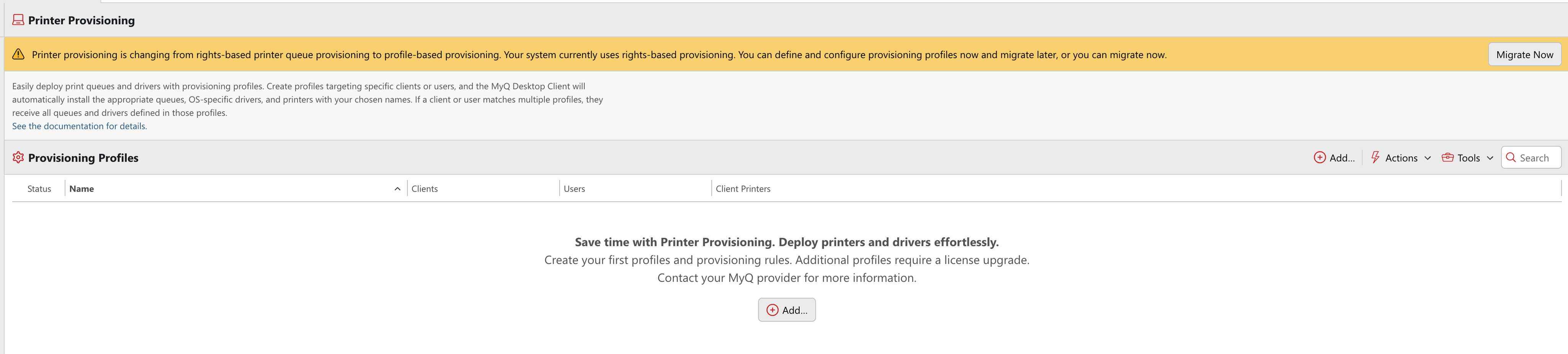
While in legacy provisioning mode, administrators can create as many profiles as they want. These profiles do not have any effect on provisioning, and they also do not require a license.
Once they migrate their installation to the new provisioning, profiles create immediately consume free licenses and additional licenses must be purchased for profiles over the free number provided.
If during migration to 3P, the number of profiles exceeds the number of licenses available, a License Provisioning Limit Exceeded warning is displayed. 3P will not function as expected until excess profiles are deleted or more licenses are purchased.
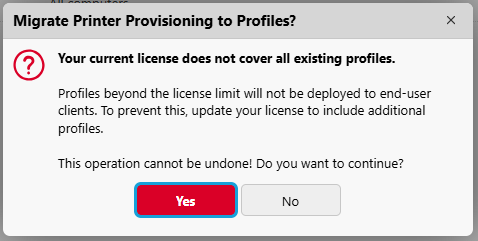
If the license provisioning limit is exceeded, no existing profiles will be lost, however randomly selected printer provisioning profiles will remain visible in the UI but not be deployed to Desktop Client.
Central-Site Licensing
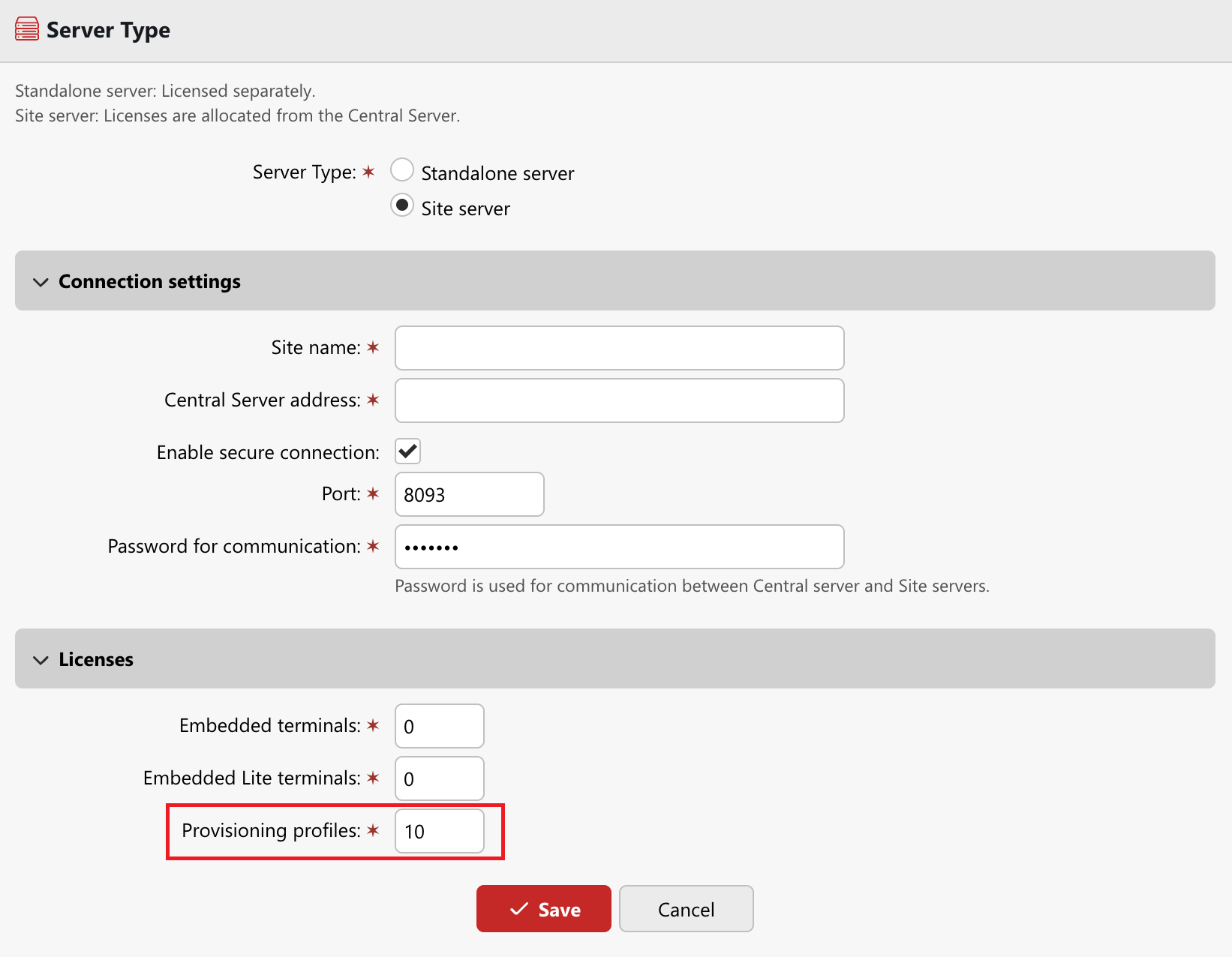
In environments where a Central Server connects a number of sites, Provisioning Profile License allocation is set when a Site Server is connected and can be adjusted at any point in Settings > License.
Profile Requirements
When determining if your organization requires additional 3P licenses, there are a few guidelines which can be helpful.
-
Provisioning profiles are not created per printer or per queue.
-
The number of profiles depends on the number of distinct deployment scenarios.
-
The same queue may appear in multiple profiles if it must be deployed under different conditions.
-
Increasing the number of printers or queues does not automatically increase the number of profiles.
The number of profiles required is likely to increase when:
-
Different sites require different sets of queues.
-
Users at the same site require different queues based on role or department.
-
Different users require different driver configurations for the same queues.
-
Different deployment conditions cannot be expressed within a single rule set.
Typical Profile Quantities
|
Organization type |
Sites / Network Zones |
Roles / Departments |
Typical profiles |
|---|---|---|---|
|
Very small |
1 |
None |
1 |
|
Small |
1 |
1–2 |
2–3 |
|
Medium |
2–5 |
None |
2–5 |
|
Medium (complex) |
3–5 |
1–2 |
6–15 |
|
Large |
5–15 |
2–4 |
15–40 |
|
Enterprise |
10+ |
3–6 |
30–100+ |