
Printer Profile Provisioning (3P) became available with MyQ Print Server patch 21. New accounts created after this update automatically have the new 3P up and running.
For accounts created before these updates, migration to new 3P is required. As migration is not automated, administrators can choose when to migrate. Before migration, in the Web UI the page Settings > Printer Provisioning becomes available, with a warning that profile-based provisioning is not currently in use, and the option to Migrate Now.
Creating printer provisioning profiles before migration does not require profile licenses (learn more about 3P licenses here). This enables administrators to prepare for migration while their installation still operates on the legacy printer provisioning, before they purchase provisioning licenses.
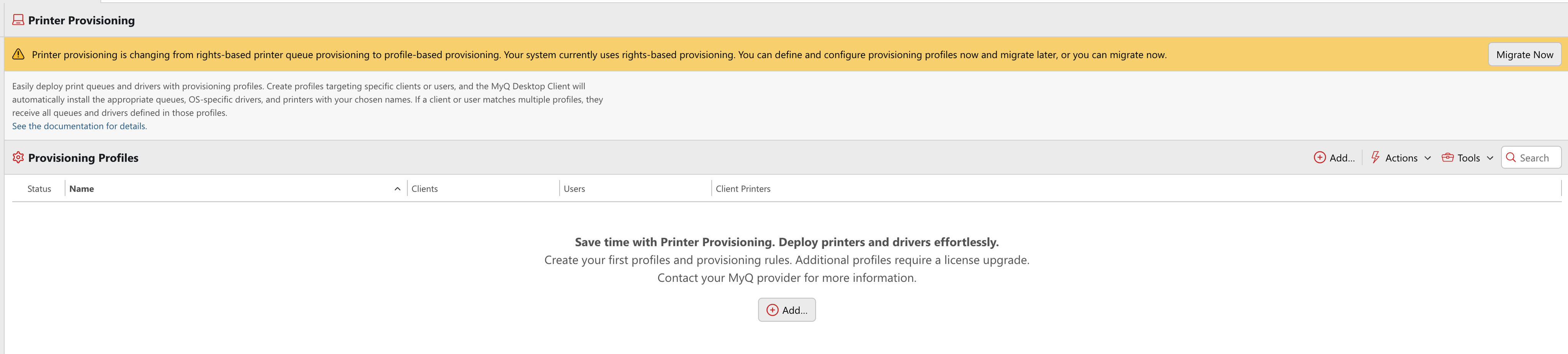
When migrating, administrators will be asked to confirm the action, please be aware that:
-
Migration to new 3P cannot be undone.
-
A sufficient number of 3P licenses is required to use this feature.
-
Once confirmed, the installation immediately switches to using the printer provisioning profiles, however, no printers or drivers provisioned previously are removed.
-
After migration, signed-in users will be asked to authenticate again in the Desktop Client once their current login session expires.
Once MDC receives the new configuration based on 3P, it performs a standard refresh operation:
-
Unchanged printers remain installed. These are printers provisioned using the legacy provisioning method, when an identical printer is also deployed by 3P after the migration (identical client printer name, driver package, and queue).
-
Printers not being deployed by profiles targeting the client/user are removed.
-
New printers are installed.