
MyQ X is available in these editions:
-
SMART
-
ENTERPRISE
-
ULTIMATE
For details about what’s included in each, see https://www.myq-solution.com/en/myq-x#myq-x-plans.
Get your MyQ SMART License
A MyQ X SMART license is available free of charge. All you need to do is register in the MyQ Community portal and create a Smart Project.
For details about the different license tiers and their corresponding features, see https://www.myq-solution.com/en/myq-x#myq-x-plans.
Register in the MyQ Community
To register in the MyQ Community, follow these steps.
-
Go to the MyQ Community portal Login page and click Not a member?
-
Fill in the requested information and click Sign up, and then Verify your identity.
-
You receive a welcome email from MyQ, and are now logged in.
Get a MyQ X Smart license
-
In the MyQ Community portal, click MyQ X Smart, and select Get MyQ X Smart License.

-
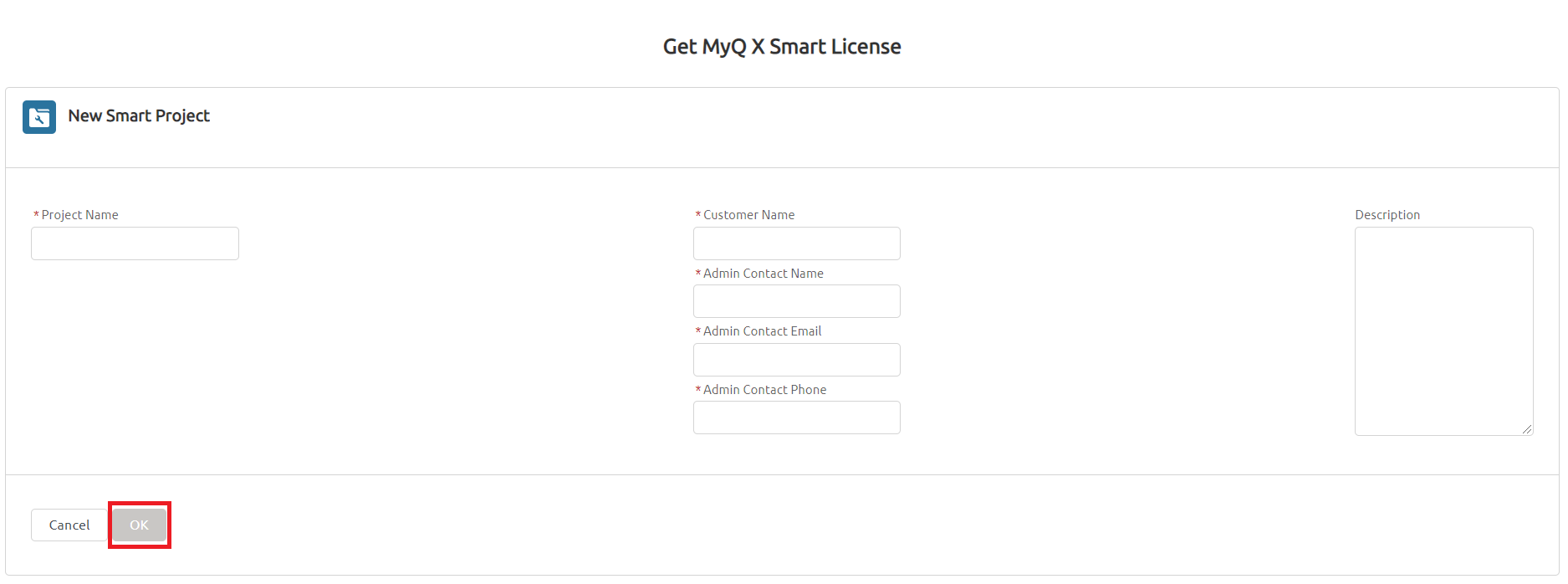
Fill in the required information, and click OK.
-
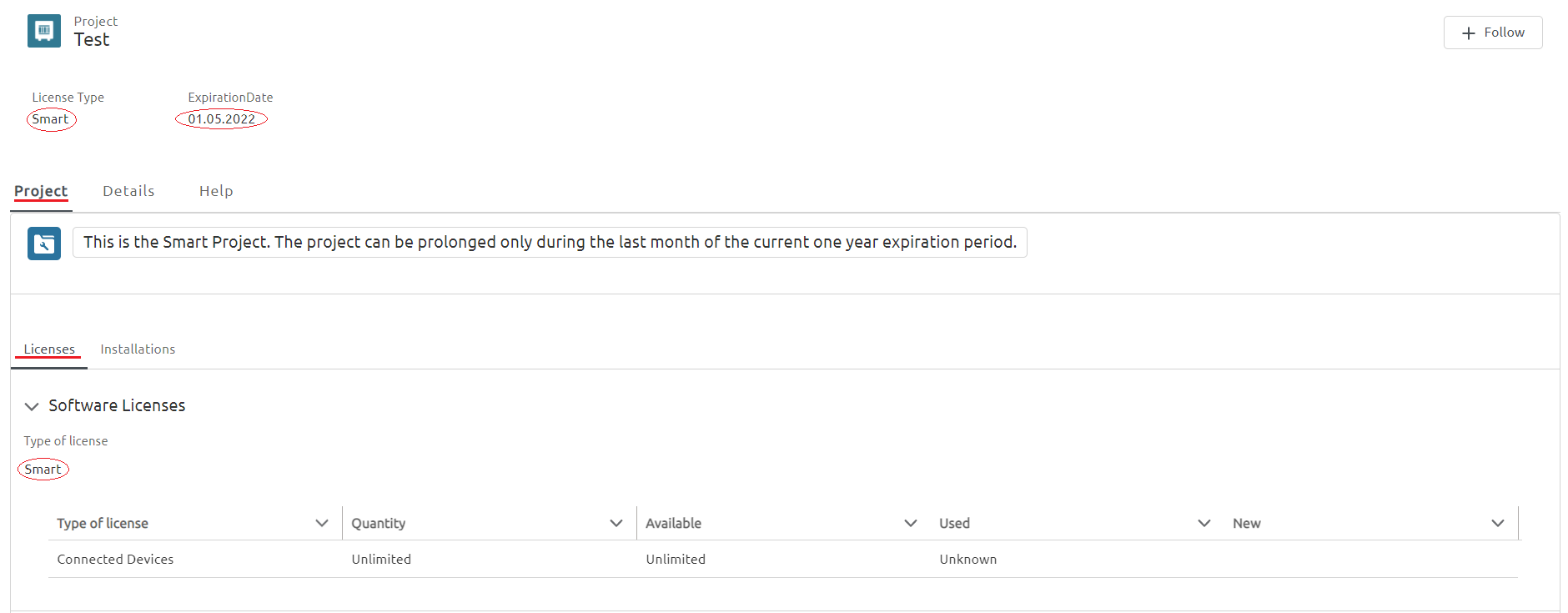
Your new Smart Project is created. At the top, you can see your project name, license type, and expiration date. The Licenses tab shows your current license information.
-
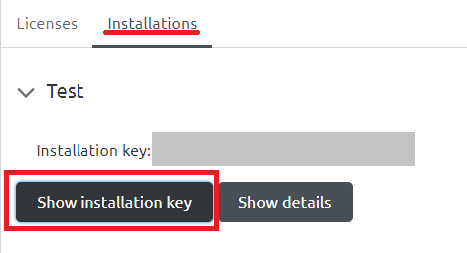
To view your installation key, click on the Installations tab, and click Show installation key.
-
Copy your installation key.
You will need this after you install the MyQ Print Server.