
The Log in shortcut takes you to the Scan QR code screen. There, you can unlock a printing device by scanning the QR code displayed on the device's panel.
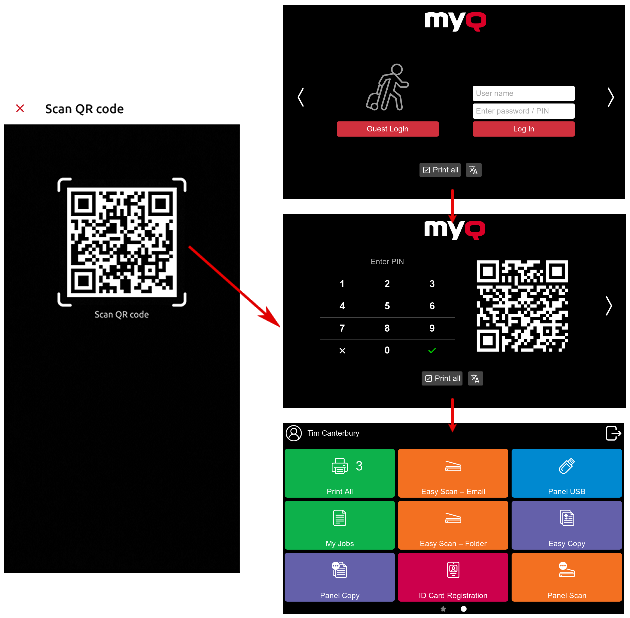
Point your phone towards the QR code as if you wanted to take a picture of it. Make sure that the QR Code is inside the square displayed in the middle of the screen. The application automatically scans the code and unlocks the device.