
In a Central Server deployment, activate the Installation Key on the Central Server only.
Licenses are then claimed from the Central Server by Site servers from the total provided by the installation key.
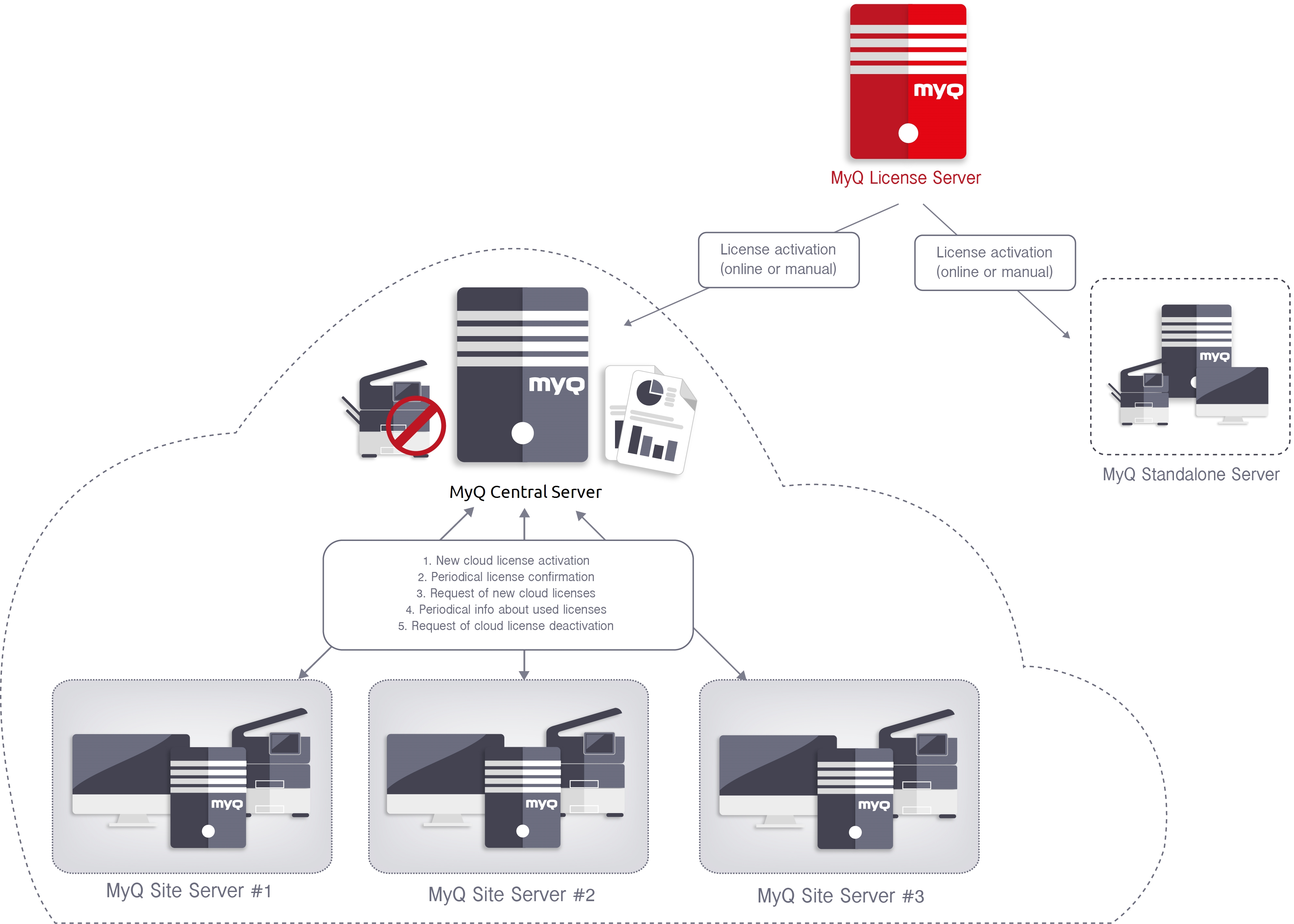
Then on each Site Server you specify the number of licenses that you want to provide to the Site. The amounts are deducted from the Central Server pool. If you remove licenses from a Site, they are restored to the pool. The balance of licenses in Central Server reflects current allocations to Site servers. If a license was claimed by a Site server but has not been assigned to a printer yet, it is counted as active from the Central Server perspective.
Embedded Lite does not have a separate central pool; an Embedded Lite consumes half of one Embedded license.
Planning the License Pool
The Installation Key must cover the combined allocations of all Site Servers.
Include all required Embedded, Embedded Lite, Embedded Ultimate, and Printer Provisioning Profile capacity when planning the deployment.
After purchasing additional capacity:
-
Update the Installation Key on the Central Server.
-
Adjust the Site Server allocations as needed.
Allocating Licenses to a Site Server
Once your Installation Key is added and activated on the Central Server, log in to each Site Server and allocate the licenses it needs:
-
On the Site Server, go to MyQ > Settings > Server Type.
-
In the Licenses section, enter the number of licenses that you want to allocate to the Site:
-
Embedded Lite
-
Embedded
-
Embedded Ultimate
-
Provisioning profiles
-
-
Click Save.
The Central Server subtracts the allocated licenses from its own pool.
If the requested allocation exceeds the available pool, the available amount is shown. Reduce the allocation or update the Installation Key before trying again.
See also: