
With the Quota feature activated, users cannot print, copy or scan after they reach or exceed their quota limit. They can view their current quotas on their session on the embedded terminal.
When quota is enabled, the message “Quota enabled” appears at the top of the menu along with a virtual terminal action labeled "Quota Status."
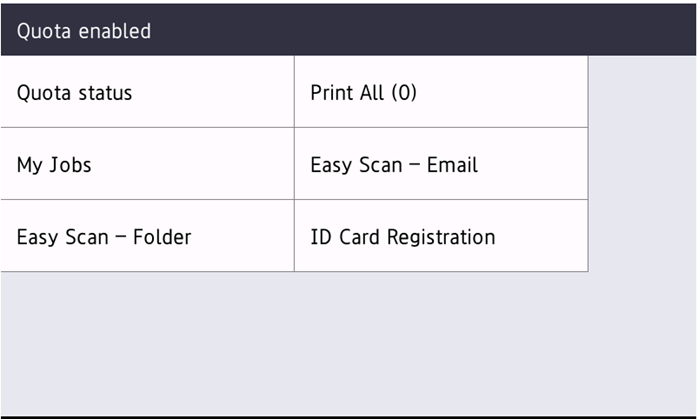
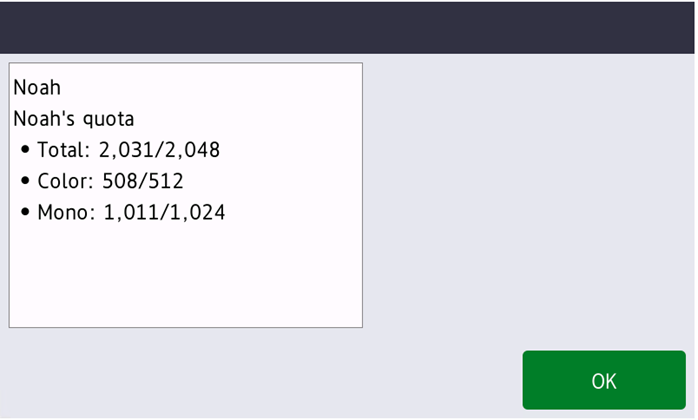
The embedded terminal's behavior depends on the quota settings in MyQ. When setting up Quota in the MyQ Web administrator interface, you can disable one or more operations after the quota is reached or exceeded:
-
If the Monitored value is Cost, select them under Disable operations. The options are Print, Copy, Color print, Color copy, and Scan.
-
If the Monitored value is Pages, mark the Disable operation checkbox and the operation that has reached the limit will be disabled.
The MyQ Quota option to Terminate the current job when reached is always enforced by Brother devices, even if the option is not enabled, current jobs will be terminated on Brother devices. If Disable operation is also enabled, the job will be interrupted when the quota is reached and the user will be redirected to the MyQ home screen.
It is not possible to disable Terminate the current job when reached. Panel operations are terminated when the quota limit is reached.
Quotas that disable scanning cannot be applied immediately.
Limitations
-
Jobs not accounted by the server are correctly reflected in the quota only after the user logs out.
-
When a device function is disabled due to quota during the user login, to enable it again, the user must logout and login again.
-
Not all color devices can separately apply the limit for color pages.
-
The correct amount of scan pages is accounted at the end of the user session.