
In order to set ScannerVision properly, you need to configure Network settings, Templates, Clients and Users.
Network Settings
-
Open ScannerVision. Settings is shown by default.
-
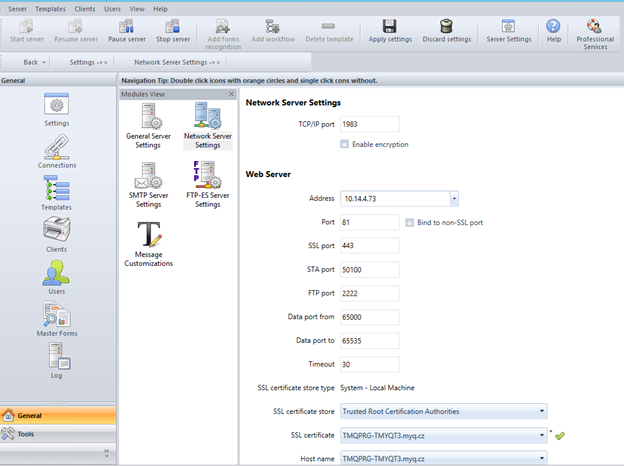
Click Network Server Settings in the Module View.
-
Add the IP address or hostname of the ScannerVision Web Server in the Address field.
-
Change the preset ports if necessary.
-
Enable/disable non SSL.
-
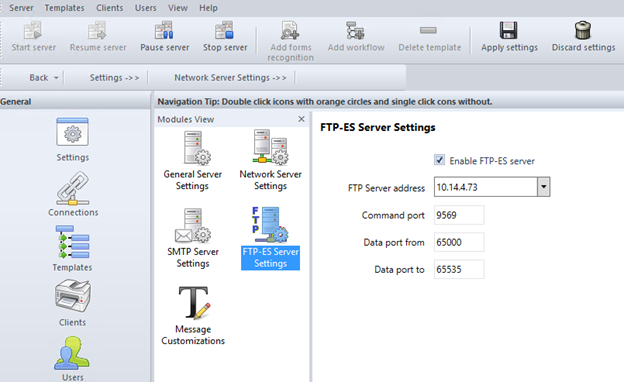
Configure the FTP-ES server settings:
-
Save your settings.