
MyQ X Server
10.3 10.2 8.2 EoL Print Server Central Server English French German Italian Portuguese Spanish

Gmail with OAuth2 Setup

To configure Gmail with OAuth2 in MyQ:

  1. Log in to the MyQ web administrator interface, and go to MyQ, Settings, Connections.

  2. Click +Add and select Gmail.

  3. In the pop-up window, you are requested to authorize the connection by clicking Continue with Google.
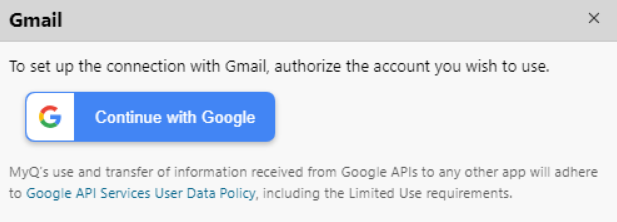
    Setting up a connection with Google
  4. Sign in with your Gmail account and allow MyQ to have access to your account.
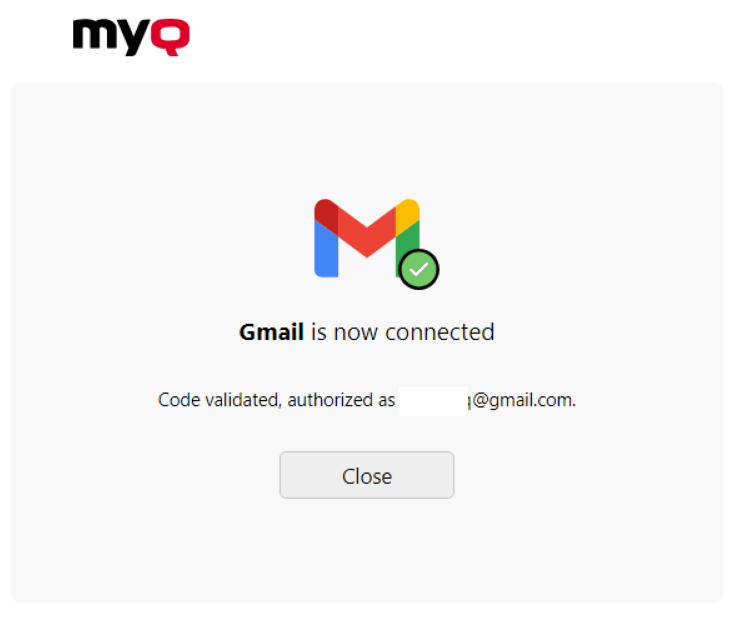
    Gmail connected to MyQ


Gmail is now connected to MyQ and is ready to be used in the Network settings tab as an Outgoing SMTP server.

Gmail can also be configured in the Jobs settings tab, under Jobs via Email as a POP3 or IMAP server.


MyQ uses and transfers information received from Google APIs to any other app in adherence with Google API Services User Data Policy, including the Limited Use requirements.


Troubleshooting

Gmail SMTP authentication fails with error 535-5.7.8

If the SMTP connection test in MyQ fails with an authentication error such as 535-5.7.8 Username and Password not accepted, a Google account setting may be blocking it. To fix this, turn off Skip password when possible for the Google account that MyQ uses to send email.

Personal Google account

  1. Sign in to the Google account that MyQ uses for SMTP.

  2. Go to Google Account > Security & sign-in (myaccount.google.com/security).

  3. Under How you sign in to Google, turn off Skip password when possible.

  4. In MyQ, run the SMTP connection test again.

Google Workspace account

The account user can turn off the setting as described above. A Workspace administrator can also turn off the setting for an organizational unit or for the whole organization:

  1. Sign in to the Google Admin console as an administrator.

  2. Go to Security > Authentication > Passwordless.

  3. Select the organizational unit that contains the MyQ sending account. To apply the change to all users, select the top-level organizational unit.

  4. Set Allow users to skip passwords at sign-in by using passkeys to OFF.

  5. In MyQ, run the SMTP connection test again.

Google Admin changes usually take effect within a few minutes, but certain updates can take up to 24 hours.