
.NET Framework 3.5 must be installed on the server before installing ScannerVision. If it is not installed, open Server Manager and install it.
To install the ScannerVision server:
-
Run the ScannerVision installer.
-
Follow the installation wizard's instructions and install the server.
-
Activate the product.
License check
Once the ScannerVision server is installed and activated, verify the license information:
-
Open the ScannerVision Processing Engine user interface application.
-
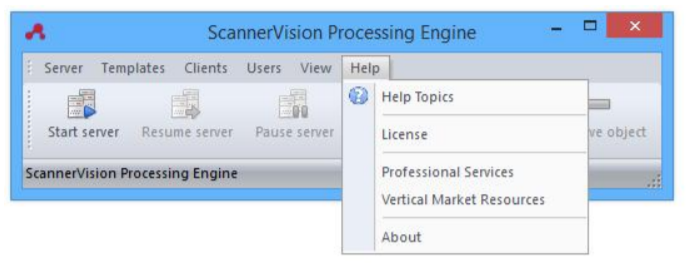
On the top menu, click Help, License.
-
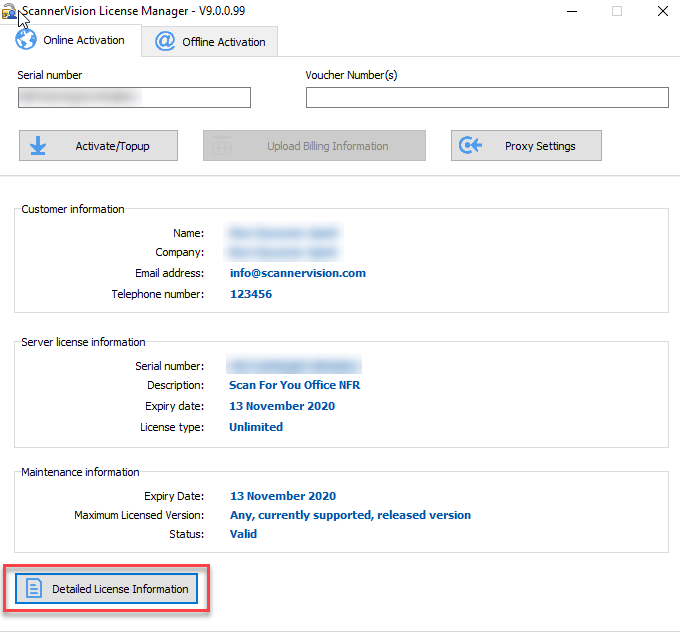
ScannerVision License Manager opens. Click Detailed License Information.
-
Check if the number corresponds to the MyQ device licenses number.
