
Integrated Windows Authentication (IWA) lets users authenticate to MyQ using their signed-in Windows identity without entering separate MyQ credentials.
IWA is designed for Active Directory environments with managed Windows devices. MyQ uses Kerberos where the required conditions are met and can fall back to NTLM unless Kerberos-only authentication is enforced.
IWA can be used for authentication to the MyQ Web Interface and MyQ Desktop Client.
This article covers the deployment requirements and design considerations for Integrated Windows Authentication.
For the configuration procedure, including MyQ settings, SPN registration, browser and Desktop Client configuration, Kerberos enforcement, domain mapping, and troubleshooting, see the MyQ X Server guide.
When to Use IWA
Consider IWA when:
-
users and workstations are managed through Active Directory Domain Services (AD DS);
-
client devices are joined to the same domain as the MyQ server or to a trusted domain;
-
users should authenticate to MyQ using their existing Windows session;
-
DNS, domain trust, and browser or client policies can be managed centrally.
IWA is primarily intended for managed domain environments. Users on BYOD devices, guest devices, or other computers outside the relevant domain or trust relationship need an alternative authentication method.
If your organization primarily uses Microsoft Entra ID for Windows identity, consider Single Sign-On with Entra ID instead.
Kerberos and NTLM
MyQ supports both Kerberos and NTLM for Integrated Windows Authentication.
|
|
Kerberos |
NTLM |
|---|---|---|
|
Recommended use |
Preferred for IWA |
Compatibility fallback |
|
Authentication |
Ticket-based with mutual authentication |
Challenge-response |
|
Main dependencies |
AD DS, DNS, correct SPN configuration, time synchronization |
Fewer Kerberos infrastructure requirements |
|
Deployment guidance |
Use wherever possible |
Retain only where required |
Kerberos should be the primary protocol for IWA deployments. NTLM can provide compatibility where Kerberos cannot be used, but organizations that retain NTLM should consider their wider Windows security policy.
If your organization plans to restrict or disable NTLM, verify Kerberos authentication for MyQ and other affected services before applying the change.
Deployment Prerequisites
Before planning IWA for production use, confirm that:
-
Active Directory Domain Services is available.
-
The MyQ server and affected client computers are joined to the same domain or trusted domains.
-
DNS reliably resolves the FQDN used by clients to access the MyQ server.
-
Time synchronization is reliable between domain controllers, the MyQ server, and clients.
-
Active Directory is configured as the authentication source for the affected MyQ users.
-
Users are synchronized or otherwise mapped correctly to their Active Directory identities.
-
Managed browsers and Desktop Clients can be configured to use Windows integrated authentication.
-
The required HTTP Service Principal Name (SPN) can be registered in Active Directory.
MyQ uses Windows http.sys for Windows authentication. The HTTP SPN used for Kerberos authentication must therefore be associated with the MyQ server computer account.
For SPN registration, browser configuration, MyQ settings, and verification procedures, see Configure Integrated Windows Authentication in the MyQ X Server guide.
How Kerberos Authentication Reaches MyQ
When a domain user signs in to Windows, the client obtains a Ticket Granting Ticket (TGT) from Active Directory.
When the user subsequently accesses MyQ using the server FQDN:
-
The client requests a Kerberos service ticket for the MyQ HTTP service.
-
Active Directory uses the registered HTTP SPN to identify the MyQ server.
-
MyQ validates the service ticket and authenticates the user.
This flow depends on correct DNS resolution, SPN registration, domain trust, and time synchronization.
Using a hostname that does not correspond to the configured SPN can prevent Kerberos authentication and cause authentication to fall back to NTLM where fallback is permitted.
Where IWA Is Configured
Integrated Windows Authentication involves configuration in several places:
-
MyQ X Server — enables Windows Authentication and controls Kerberos/NTLM behavior.
-
Active Directory — provides the domain trust and Service Principal Name (SPN) required for Kerberos.
-
Client browsers — must allow integrated Windows authentication for the MyQ server.
-
MyQ Desktop Client — Seamless Single Sign-On is enabled through Desktop Client configuration profiles where required.
For the configuration procedures, see Configure Integrated Windows Authentication in the MyQ X Server guide.
Web Interface Authentication
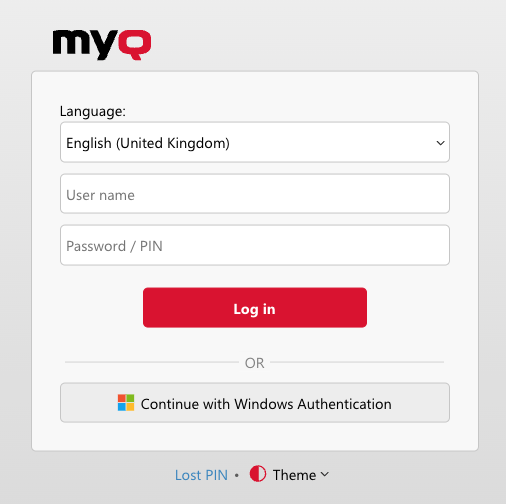
When Windows Authentication is enabled, it is available as an additional sign-in method in the MyQ Web Interface.
Domain users on correctly configured managed computers can authenticate using their current Windows identity. Other configured login methods remain available for users who are outside the IWA environment or cannot authenticate through Windows.
Browser-based IWA also depends on the browser recognizing the MyQ server as an integrated-authentication destination and being permitted to send Windows credentials automatically.
In managed environments, plan to distribute the required browser configuration centrally rather than configuring individual workstations.
MyQ Desktop Client Authentication
MyQ Desktop Client can use Integrated Windows Authentication to authenticate the signed-in Windows user automatically.
Seamless authentication is configured through Desktop Client configuration profiles, allowing different workstation populations to use different authentication methods.
Where Microsoft Entra ID SSO and IWA are both configured, MyQ Desktop Client can use the following fallback sequence:
-
Microsoft Entra ID authentication
-
Integrated Windows Authentication
-
Manual sign-in
This allows Entra ID authentication to be used as the primary seamless method while retaining IWA for users or environments where cloud authentication is unavailable.
IWA and Microsoft Entra ID SSO
Integrated Windows Authentication and Microsoft Entra ID SSO both provide seamless authentication for Windows users, but they rely on different identity infrastructure.
|
|
IWA |
Microsoft Entra ID SSO |
|---|---|---|
|
Identity source |
Active Directory Domain Services |
Microsoft Entra ID |
|
Primary authentication |
Kerberos |
Microsoft cloud identity |
|
Main client environment |
AD domain-joined Windows devices |
Entra ID, AD, or hybrid-joined supported Windows devices |
|
Microsoft Entra application required |
No |
Yes |
|
Typical deployment |
On-premises AD environments |
Cloud-first or hybrid identity environments |
Use IWA where authentication is primarily based on on-premises Active Directory and Kerberos.
Use Microsoft Entra ID SSO where Microsoft Entra ID is the primary identity platform and the required Windows and MyQ configuration is available.
Hybrid environments can use both. When both methods are configured for MyQ Desktop Client, Entra ID authentication is attempted before IWA.