Use this procedure to synchronize users and groups from Google Workspace.
Prerequisites
-
Google Workspace authentication server in MyQ.
-
Certificates and credentials to an LDAP client, which you get from Google Admin console.
Synchronize Users from Google Workspace
-
Go to MyQ > Settings > User Synchronization.
-
Click +Add and select Add LDAP Source.
-
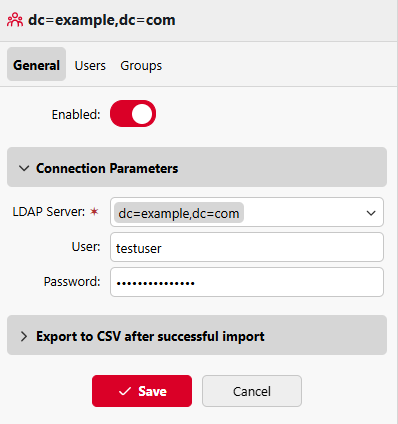
Under Connection Parameters, select the LDAP server, and enter the username and password.
-
Click +Add to save changes.
-
On the Users tab, add one or more Base DNs from which to synchronize users.
-
Configure the remaining options as required, and click Save.
-
To run the synchronization, go to MyQ > Settings > User Synchronization, and click Synchronize Now. If you have configured everything correctly, users and groups from your Google Workspace directory are now visible under MyQ > Users.
-
(Optional) To synchronize automatically on schedule, go to MyQ > Settings > Task Scheduler, and configure the User Synchronization task.