
Connect a User’s Storage
To connect a user’s storage to the Easy Print terminal action:
-
Go to MyQ > Settings > Terminal Actions.
-
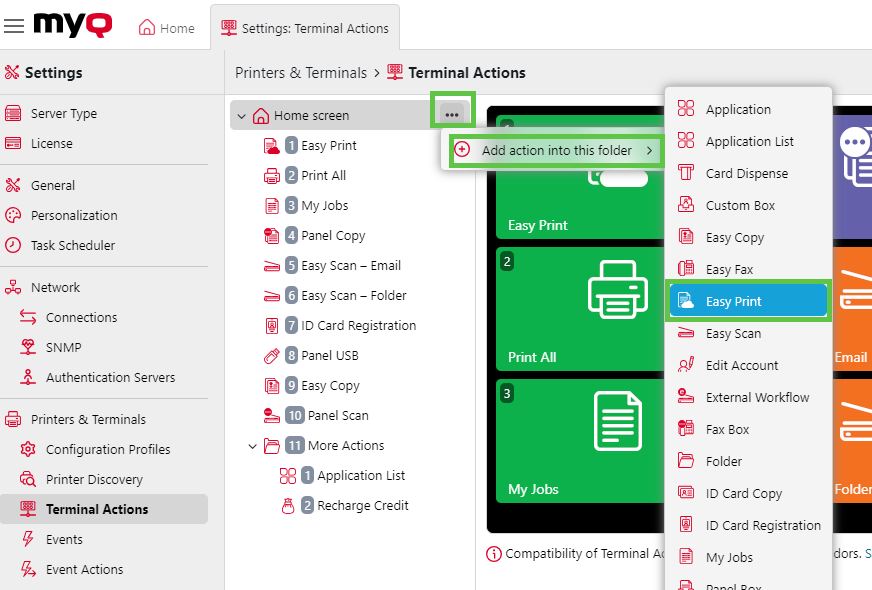
If there is an Easy Print action already added, you can configure that one by double-clicking it or create a new one by clicking on the actions menu then Add action into this folder and selecting Easy Print from the list.
-
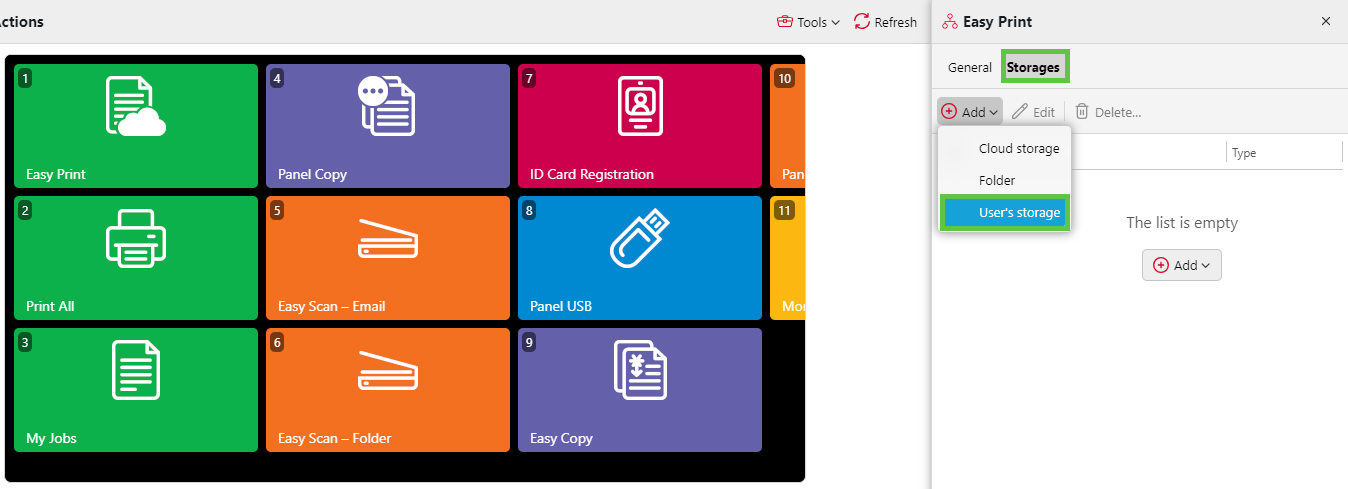
In the options menu, go to Storages > Add > User’s storage.
-
Under General, give your folder a name, then click Add.
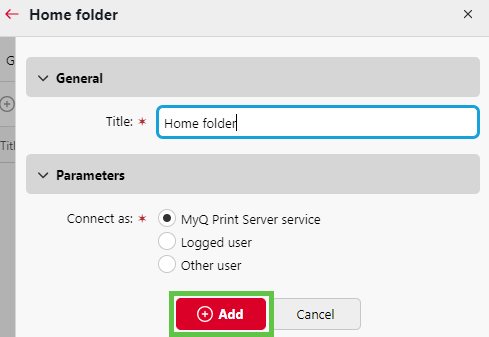
Once this is set up, the user will see the option to browse this folder when using Easy Print.
Note
-
For hybrid Entra ID users, MyQ uses
NETBIOS\usernamefor filesystem authentication under As Logged-in user or MyQ service + Make user owner modes.