
Connect a Local Storage
To connect a local storage to the Easy Print terminal action:
-
Go to MyQ > Settings > Terminal Actions.
-
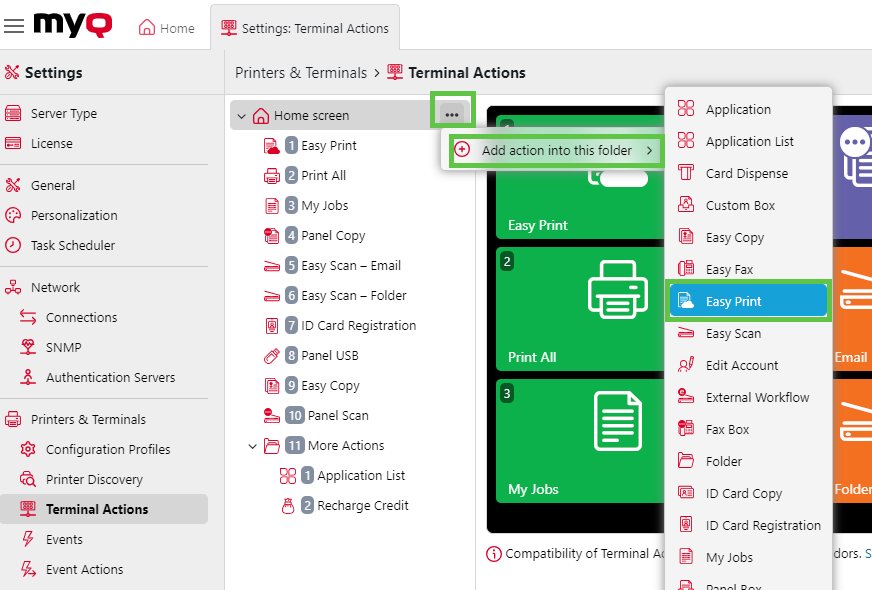
If there is an Easy Print action already added, you can configure that one by double-clicking it or create a new one by clicking on the actions menu then Add action into this folder and selecting Easy Print from the list.
-
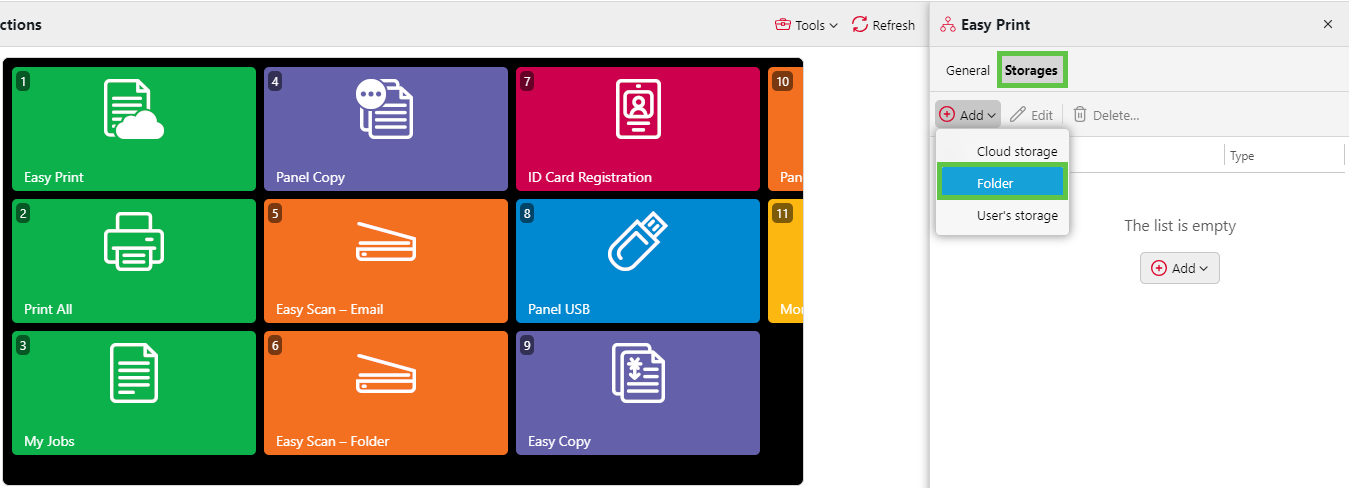
In the options menu, go to Storages > Add > Folder.
-
Under General, give your folder a name, and under Parameters set up the destination folder. Then click Add.
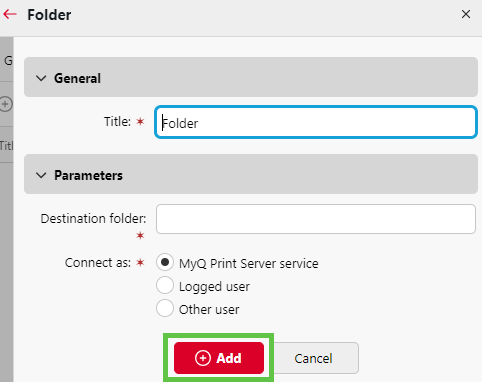
Once this is set up, the user will see the option to browse this folder when using Easy Print.
Note
-
For hybrid Entra ID users, MyQ uses
NETBIOS\usernamefor filesystem authentication under As Logged-in user or MyQ service + Make user owner modes.