
After you install the terminal package on the Print Server, the following vendor-specific options are available in Configuration Profiles:
-
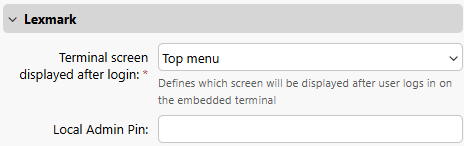
Terminal screen displayed after login
Select the screen that appears on the terminal after user login. Available options are:-
Top Menu (default)
-
My Jobs
-
Native Screen
-
-
Local Admin Pin
Set the PIN number that is used to log in to the terminal as an administrator.
Applying the changes in the Lexmark section on the terminal requires a force remote configuration of the device.