
After adding the services and scripts to the MyQ server role, open the Resources tab of the MyQ server role at the bottom of the Roles tab and set the dependencies of the MyQ services and scripts.
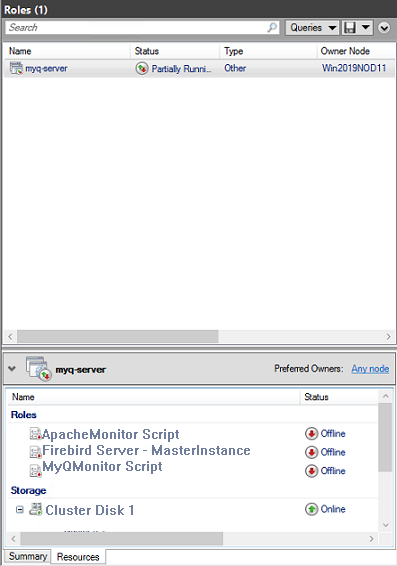
Set the Firebird Server - MasterInstance service dependency
This step is not needed if you are using an MS SQL database.
-
In the list at the bottom of the tab, right-click Firebird Server - MasterInstance, and click Properties. The Firebird Server - MasterInstance Properties dialog box opens.
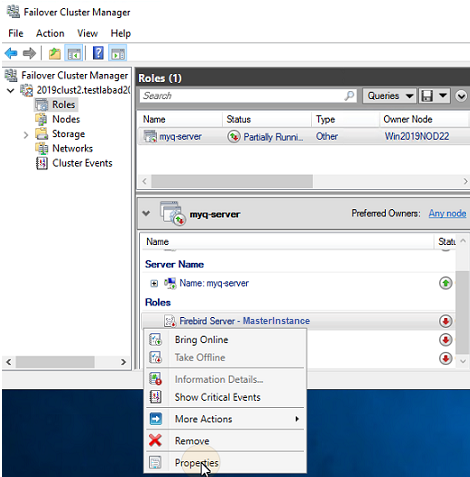
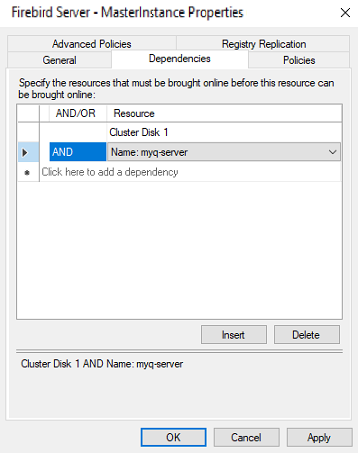
-
In the dialog box, open the Dependencies tab, add the shared disk drive (or NAS) where the system is supposed to work on, add the name of the MyQ server role, and click OK. The dependency is set.
Set the MyQMonitor script dependency
-
In the list at the bottom of the tab, right-click MyQMonitor Script, and click Properties. The MyQMonitor Script Properties dialog box opens.
-
In the dialog box, open the Dependencies tab.
-
If you are using Firebird - MasterInstance, insert it as a dependency for the MyQMonitor Script, and click OK.
The dependency is set.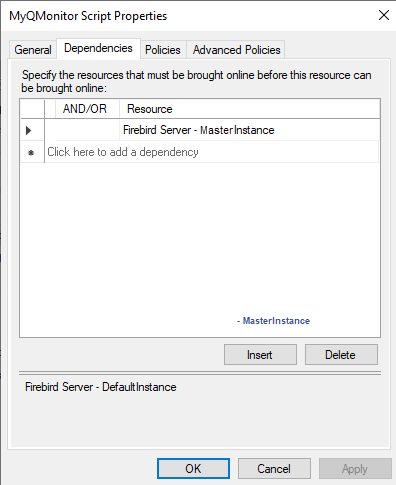
-
If you are using MS SQL, add the Cluster Disk and Cluster server, and click OK.
The dependency is set.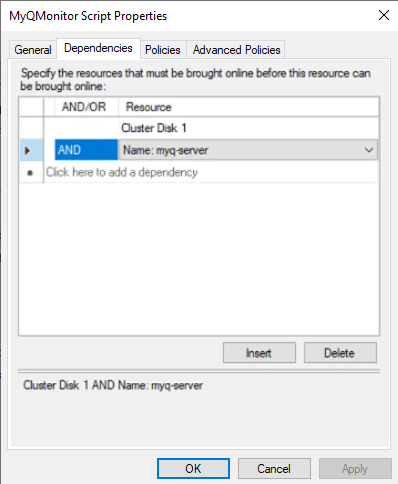
-
Set the ApacheMonitor script dependency
-
In the list at the bottom of the tab, right-click ApacheMonitor Script, and click Properties. The ApacheMonitor Script Properties dialog box opens.
-
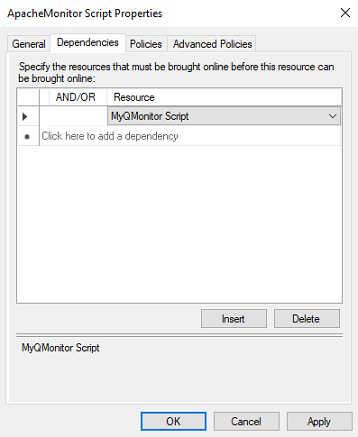
In the dialog box, open the Dependencies tab, add the MyQMonitor Script, and click OK. The dependency is set.
To view the dependency report, right-click the MyQ server role on the Roles tab of the cluster in Failover Cluster Manager, click More Actions, and click Show Dependency Report.