
Once you open the MyQ Easy Config application on the Home tab for the first time, you will be prompted to create a password for the Database Administrator account, which is important for database security.
Database Administrator Account
This is the SYSDBA account used for accessing the Firebird database. It is recommended to create a strong and secure password for this account.
The first time you open the application, on the Home tab, you can see the Database Administrator Password section. To create a password, type the new password, confirm the password, and then click Save.
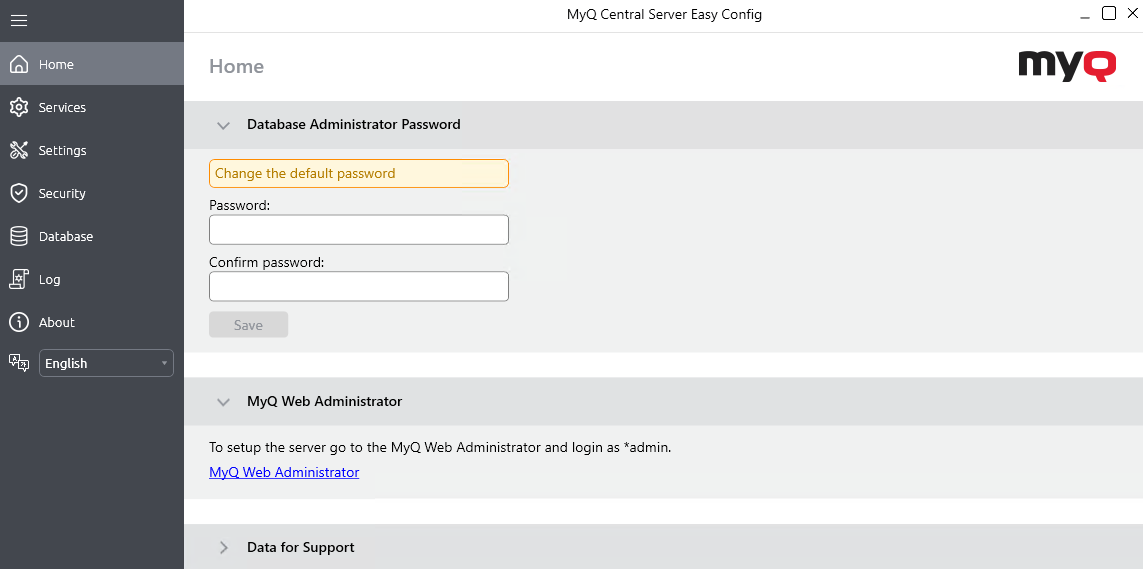
After you change credentials for the first time, its initial setup section disappears from the Home tab. Passwords can be later changed from the Security tab.
Additional options are available on the Home tab to access the MyQ Web Administrator interface and generate Data for Support.