
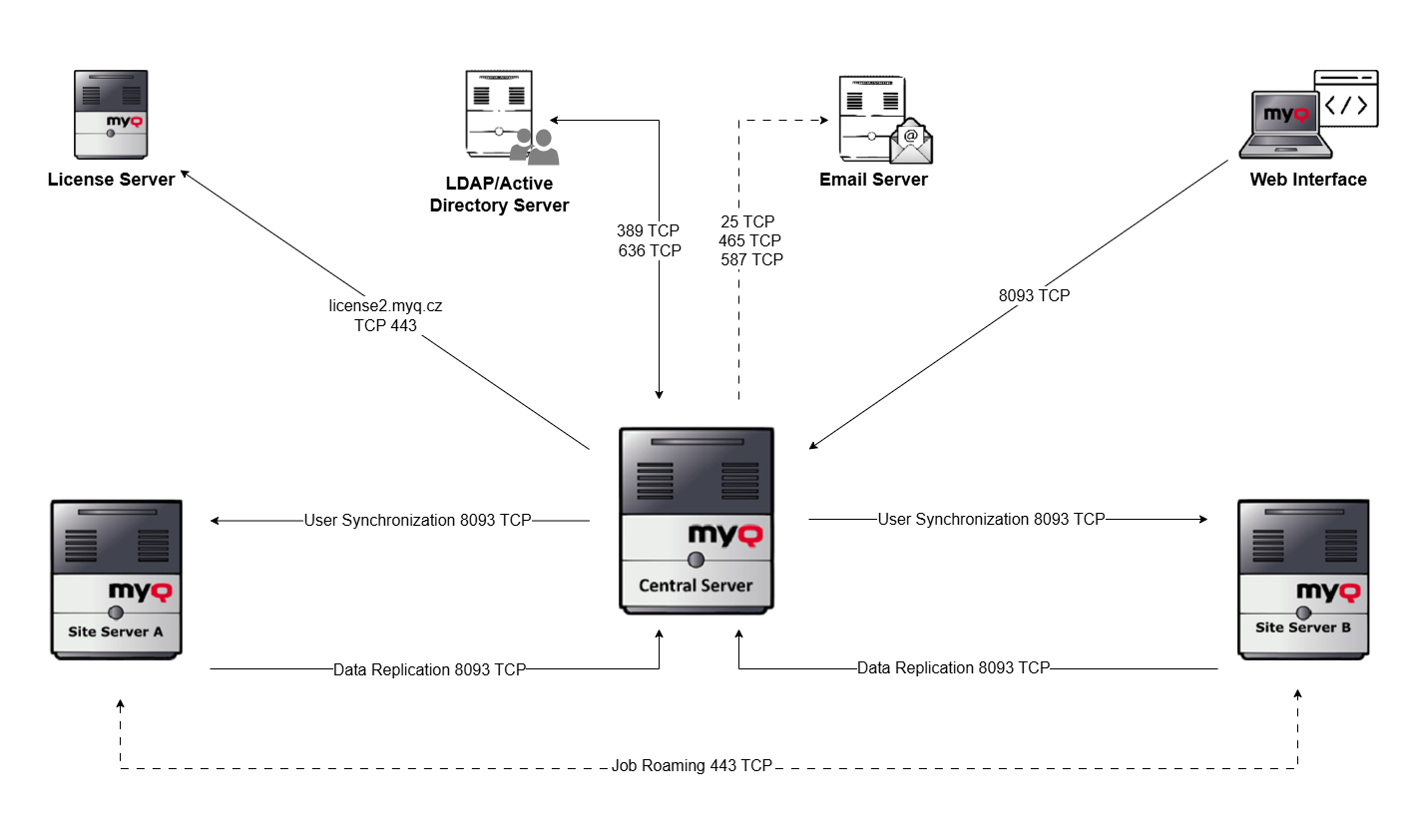
The image below depicts an overview of the components and main network communication channels.
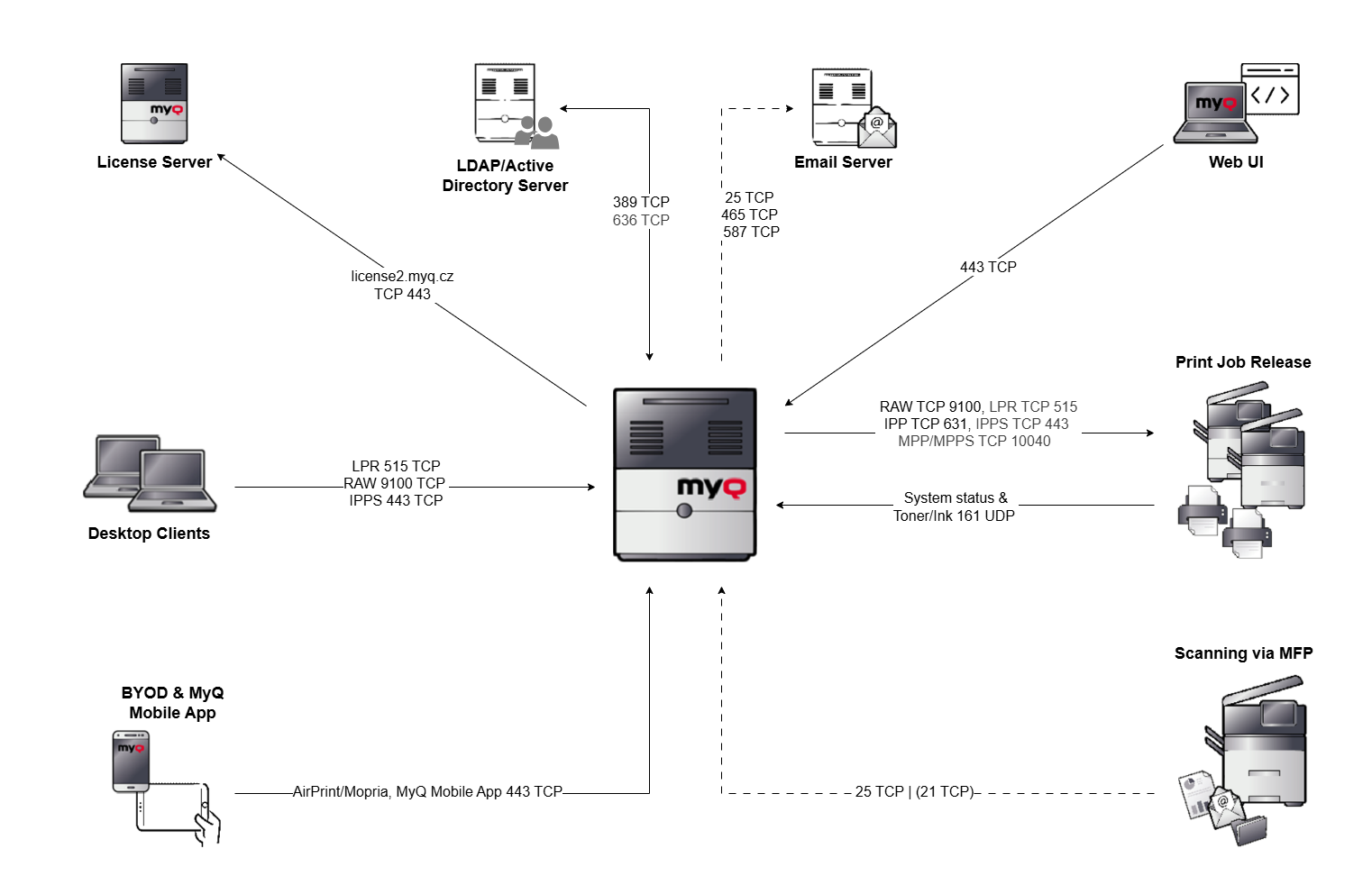
MyQ --> License server: An external connection to the MyQ license server is required for license activation (legacy license server: license.myq.cz). The connection is secured via 443 TCP. If a connection to the license server is not possible, you can use offline activation.
MyQ <--> LDAP/Active Directory: User synchronization takes place via port 389 or 636 by default.
MyQ --> Email Server: Scans/emails are first transmitted from the MFP to MyQ server. This server acts as a relay for emails and forwards the emails to the stored customer email server. The required ports are individual, depending on the corresponding settings of the customer email server.
MyQ --> MyQ Web UI: HTTPS protocol for accessing the MyQ web interface as well as communication with embedded terminals and job roaming between MyQ servers using https//:serverhostname:443. Unsecure connection on port 8080 is deprecated.
MyQ --> Print job Release: The output of the print jobs from MyQ server to the MFP is done via RAW 9100 by default (can be changed if required to LPR, IPP, IPPS, MPP, MPPS).
The device status of the printing systems, as well as toner and ink levels, are read out via SNMP UDP 161. (SNMP protocol can be changed if required SNMP v1, SNMP v2, SNMP v3).
MyQ <-- Scanning via MFP: All scans (email/folder) are done via port 25 by default, FTP port 21 if required.
MyQ <-- BYOD & MyQ Mobile App: For working with smartphones/tablets, both AirPrint/Mopria and MyQ Mobile App.
MyQ <-- User Clients: Printing to a MyQ queue is done via a print object configured for this purpose. By default, printing to the MyQ server is done via LPR port 515.