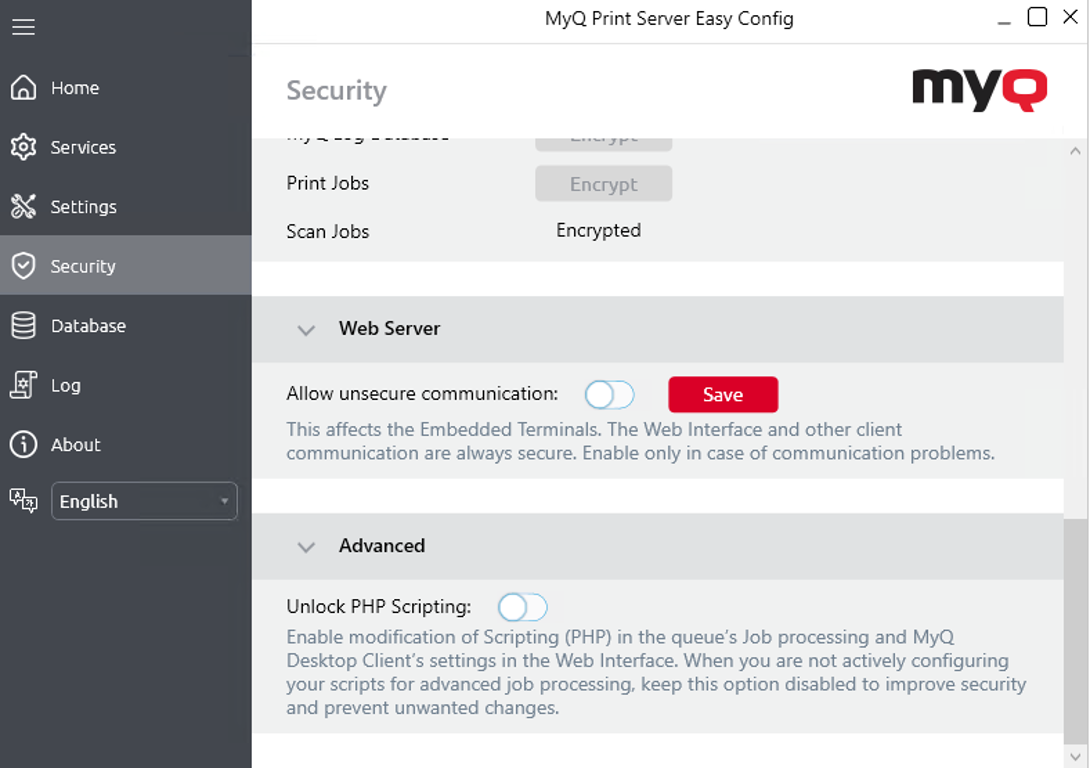
MyQ runs with secure communication (SSL) by default, but also offers three different certificate authority modes, that can be modified in MyQ, Settings, Network.
Toshiba devices require an SSL certificate for the specific Fully Qualified Domain Name (FQDN). Wildcards or Subject Alternative Name (SAN) cannot be used.
If the certificate is invalid, events, e.g. card reading or job notifications, will not work.
The error log can be viewed in the Toshiba Web UI, in Logs > View Logs > Message Log:
Error: Failed to establish the TLS session (unknown CA)
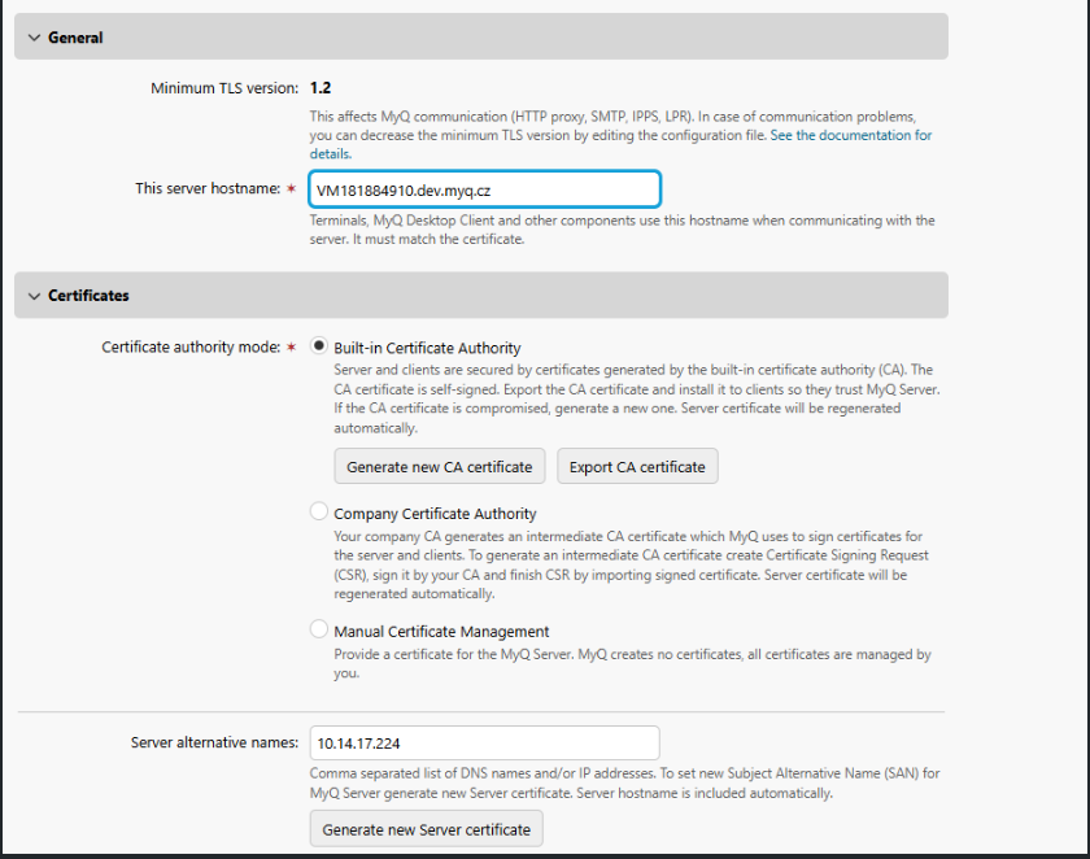
MyQ distinguishes between two modes: Automatic (Built-in Certificate Mode & Company Certificate Authority) and Manual Certificate Mode.
MyQ Built-in Certificate Mode
-
Automatic Certificate Management:
When MyQ is set to Automatic, the package automatically handles the import, and removal of the server certificate from the device used for secure communication. Administrators do not need to perform any manual actions related to the server certificate in this mode. -
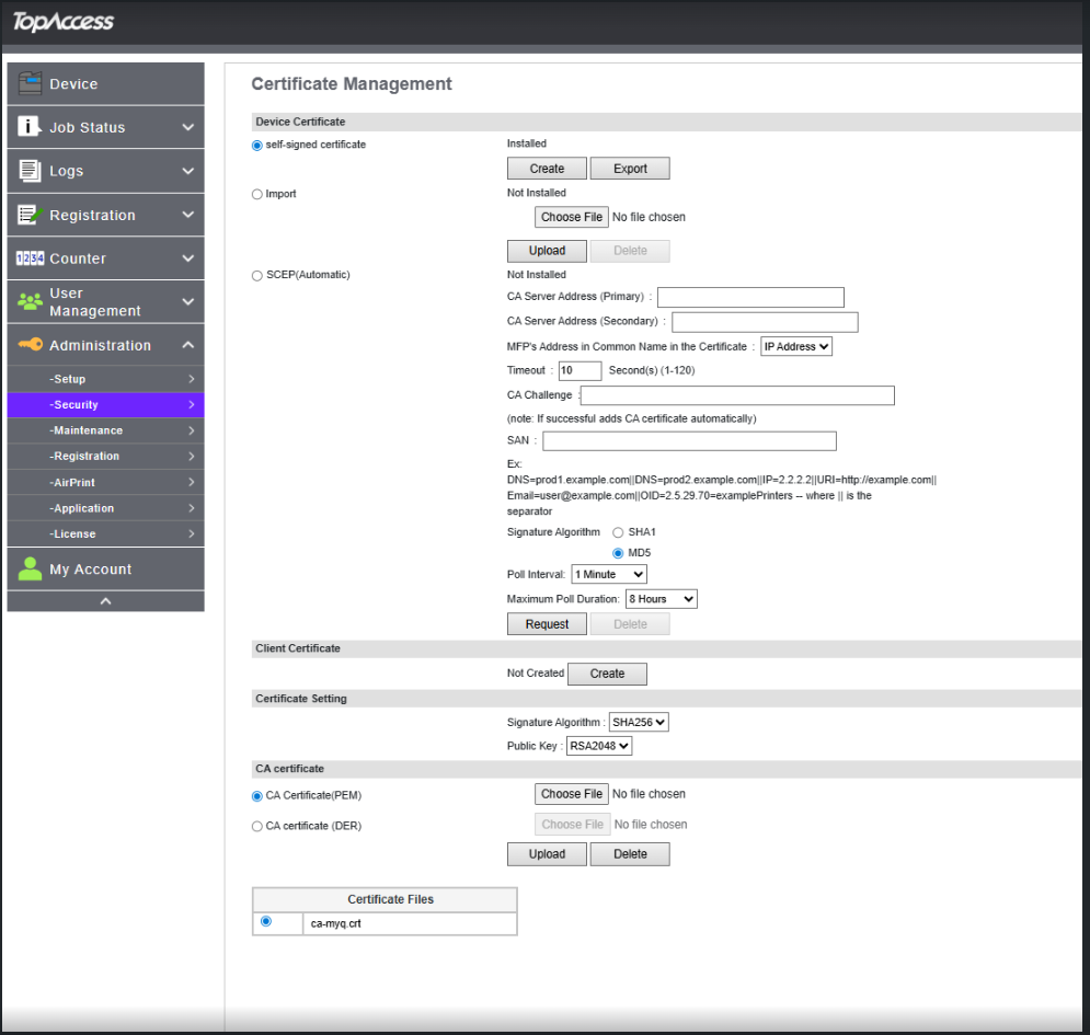
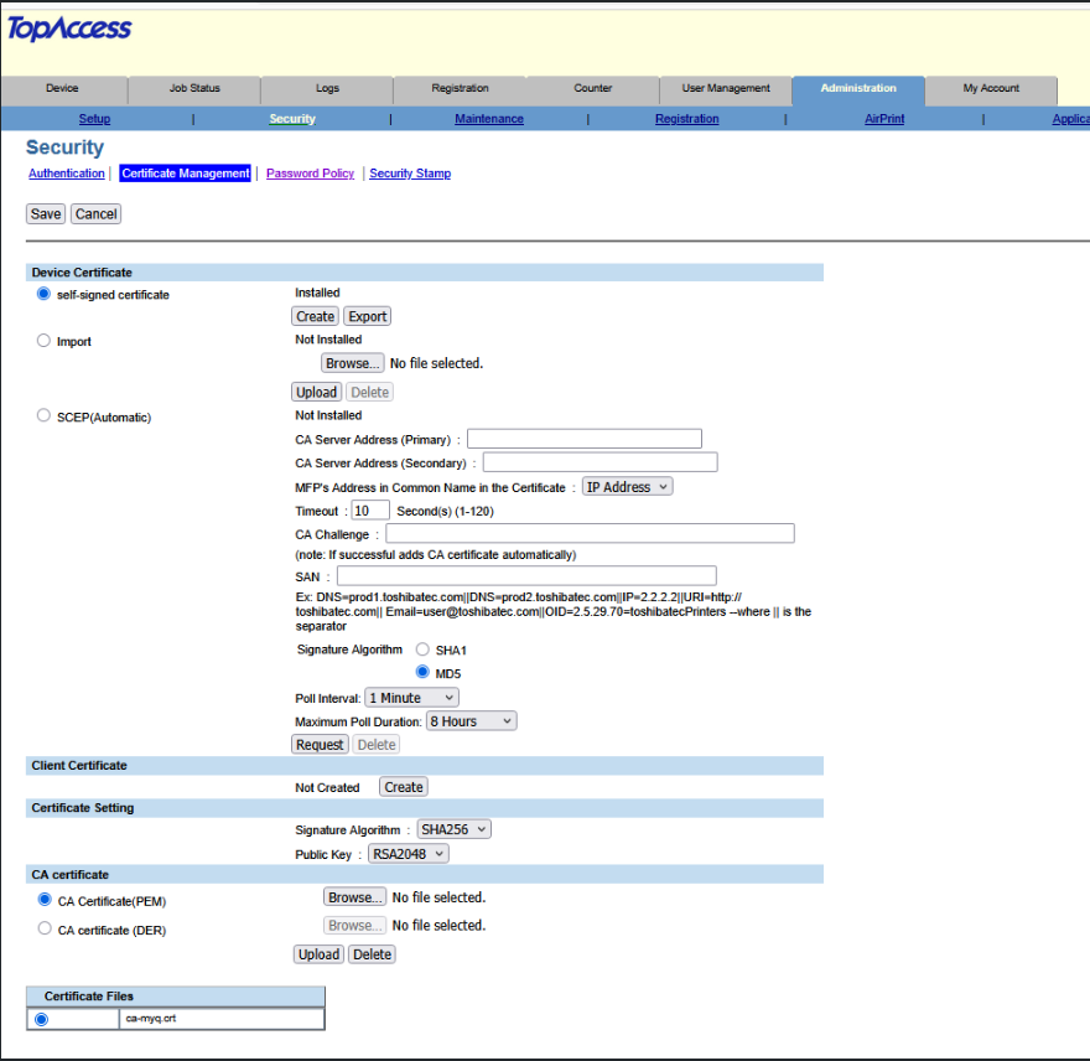
Uploaded Certificate is named ca-myq.crt
Manual Certificate Mode
-
No Automatic Certificate Actions:
If Manual Certificate Mode is enabled, MyQ does not install, update, or delete any server certificates. All aspects of certificate management—including installation, renewal, and removal—are the sole responsibility of the system administrator. -
Administrator Responsibility:
-
Administrators must ensure that a valid server certificate is installed and maintained.
-
MyQ will not interfere with or modify certificates in this mode.
-
Certificate Management can be be found under Administration → Security → Certificate management.
Troubleshooting
In cases that the Request host is not allowed warning message is displayed after a user logs in to the terminal, or the Access denied error message is displayed after a user is trying to use panel operations (Panel Copy or Panel Scan), an invalid certificate is used (a valid certificate has to be created for the specific FQDN).
For correct use of the certificates, the reversal DNS lookup has to be enabled on the server.
Reversal DNS lookup has to be enabled also for the cluster server address in cases that the MS Cluster high-availability solution is used.
Enable unsecure communication
If SSL communication is not required, you can enable unsecure communication (not recommended) in MyQ Easy Config. Go to the Security tab, under Web Server, enable Allow unsecure communication, and click Save.