
Add credit to the user’s internal MyQ X credit account.
Get recharge providers
GET /v3/rechargeProviders
Get the current active Recharge providers.
|
Authentication |
|
|---|---|
|
Headers |
|
|
Request Body |
empty |
|---|---|
|
Response Body |
|
Examples:
|
Request Body |
Response Body |
|---|---|
|
empty |
|
REST API recharge does not support any standard built-in payment provider except for Voucher and External Payment Providers; use the recharge provider reference external in your requests. All payments will be visible in the logs with the source External Payment Provider.
Before you make recharges, ensure that External Payment Providers is enabled in MyQ X, in Settings > Credit.
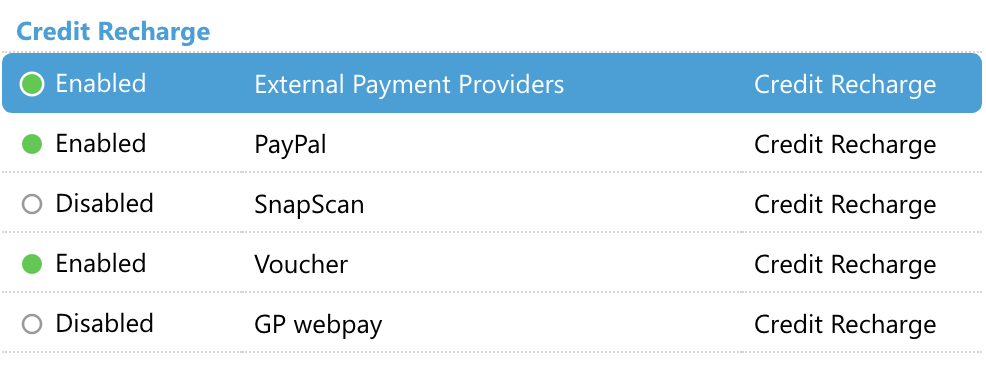
If it is not at the time of calling the endpoint to create a payment, you will receive a message: Invalid operation: The operation cannot be performed in the current state. Payment provider is disabled.
Create a payment
POST /v3/rechargeProviders/{reference}/payments
Create a payment. You must commit the payment to make it effective.
Logged user MUST have the right Manage payments.
|
Authentication |
|
|---|---|
|
Headers |
|
|
Parameters |
|
|
Request Body |
JSON
|
|---|---|
|
Response Body |
JSON
|
Examples:
|
Request Body |
Response Body |
|---|---|
|
JSON
|
JSON
|
Update a payment
PATCH /v3/rechargeProviders/{reference}/payments/{id}
Update the payment.
Logged user MUST have the right Manage payments.
|
Authentication |
|
|---|---|
|
Headers |
|
|
Request Body |
|
|---|---|
|
Response Body |
empty |
Examples:
|
Request Body |
Response Body |
|---|---|
|
empty
|
Commit a payment
POST /v3/rechargeProviders/{reference}/payments/{id}/commit
Commit the payment to make it effective.
Logged user MUST have the right Manage payments.
|
Authentication |
|
|---|---|
|
Headers |
|
|
Parameters |
|
|
Request Body |
empty |
|---|---|
|
Response Body |
|
Examples:
|
Request Body |
Response Body |
|---|---|
|
empty |
|
Rollback a payment
POST /v3/rechargeProviders/{reference}/payments/{id}/rollback
Roll back the payment.
Logged user MUST have the right Manage payments.
|
Authentication |
|
|---|---|
|
Headers |
|
|
Parameters |
|
|
Request Body |
empty |
|---|---|
|
Response Body |
|
Examples:
|
Request |
Response |
|---|---|
|
empty
|
Get payments
GET /v3/rechargeProviders/{reference}/payments?userId={userid}
Get payments.
Logged user MUST have the right Manage payments.
|
Authentication |
|
|---|---|
|
Headers |
|
|
Request Body |
empty |
|---|---|
|
Response Body |
|
Examples:
|
Request |
Response |
|---|---|
|
empty |
|
Practical Example
To recharge credit, we usually need at least the scopes users and credit.
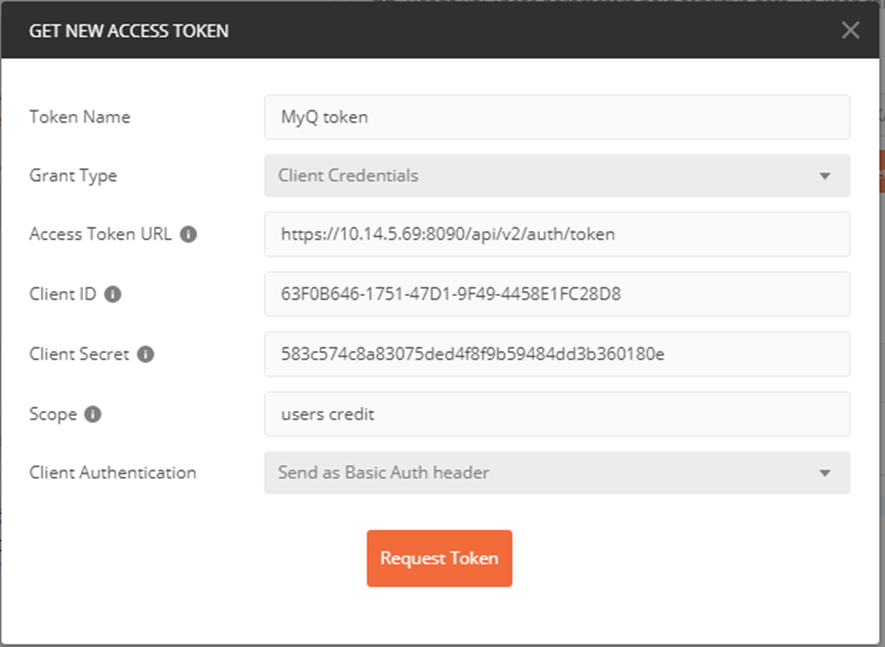
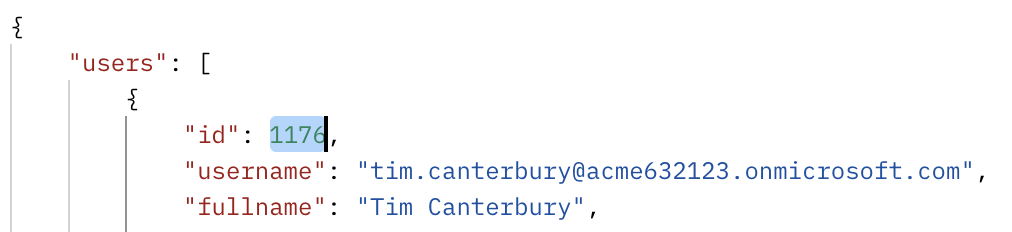
Obtain the user ID:
GET {{baseUrl}}/v3/users/find?username={{username}}
-
Required scope:
users
Example response:
POST request to create a payment:
POST {{baseUrl}}/v3/rechargeProviders/{{paymentproviderreference}}/payments
-
Required scope:
credit -
{{paymentproviderreference}}useexternal. -
To successfully call this endpoint, make sure the Content-Type is
application/json.
In the body of the request, provide the additional information about the user ID and the amount of money to recharge:
{
	"userId": {{userid}},
	"params": {
		"amount": 13
	}
}
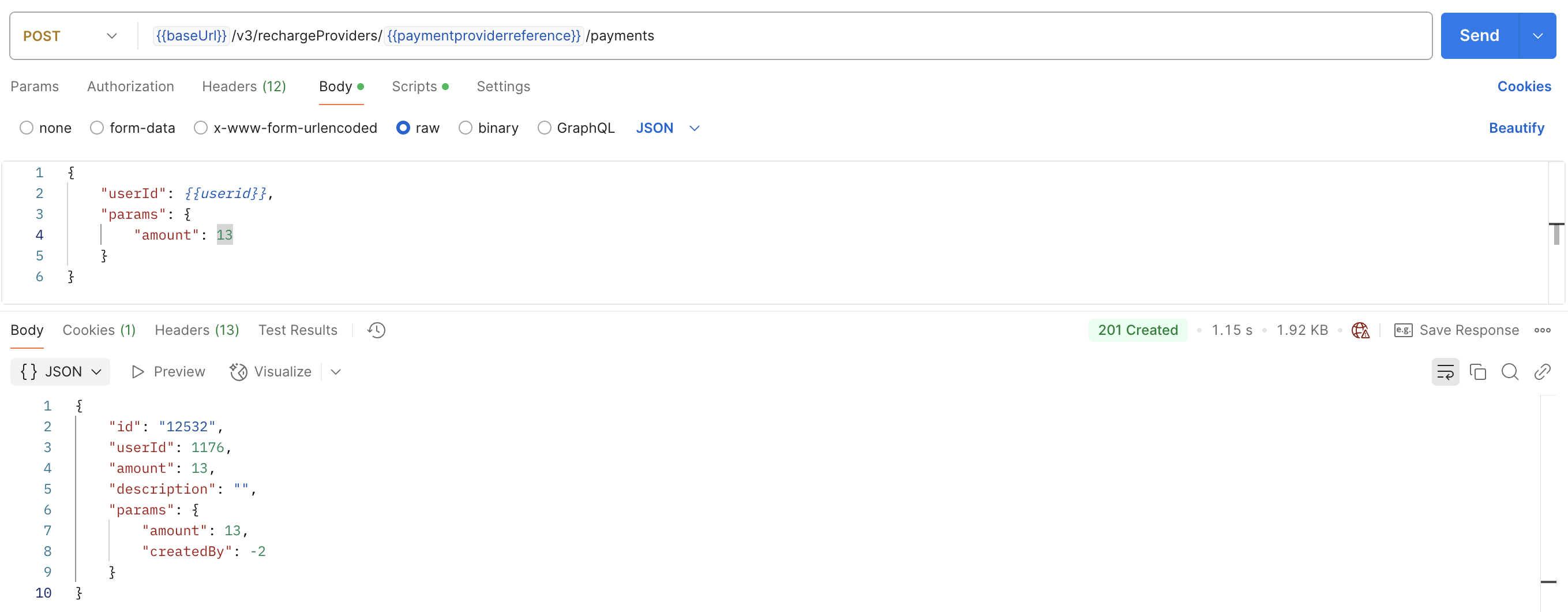
Example request:
POST {{baseUrl}}/v3/rechargeProviders/external/payments

{
	"userId": 1176,
	"params": {
		"amount": 13
	}
}
The answer then returns the ID of the payment (12532), which we will use to commit the payment.
Commit the payment:
POST {{baseUrl}}/v3/rechargeProviders/{{paymentproviderreference}}/payments/{{paymentid}}/commit
-
Required scope:
credit
And finally, an answer is returned with the recharged amount, confirming the operation was successful.
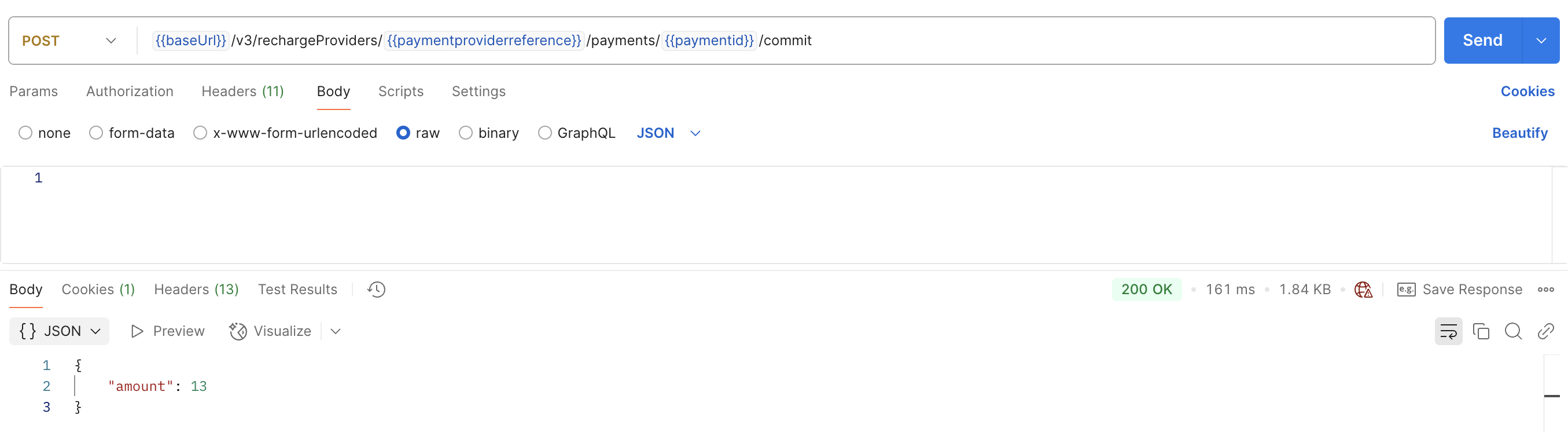
Example request:
POST {{baseUrl}}/v3/rechargeProviders/external/payments/12532/commit
And the user’s credit is topped up.

You will see the payment in the Credit Statement.
