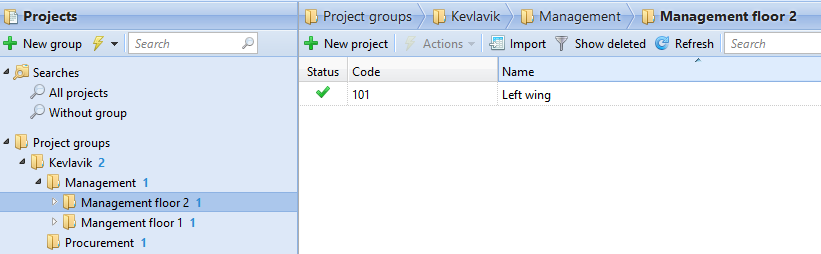
For bigger companies, it is easier to manage projects in groups on e.g. a functional or geographical level. The maximum is five levels deep. Rights set on the group level will automatically be inherited by sub-groups and/or the projects inside these groups. It is then possible to set specific rights to sub-groups or specific projects. After saving these rights they will not be overwritten by the default group rights.
Creating groups
-
Right-click Project groups and select New group.
-
Set the Name on the General tab of the project group in the right pane.
-
Click the Rights tab to add or delete users from the project group.
-
Click Save. The project group will be visible in the left pane.
Adding a project to a group
-
Select the group that you want to add a project to.
-
Click New project on the menu bar.
-
Enter the project details.
-
Click Save. The Project group Code will be upped by one.
When you select a project group in the left pane, the path is displayed on the top bar of the window.