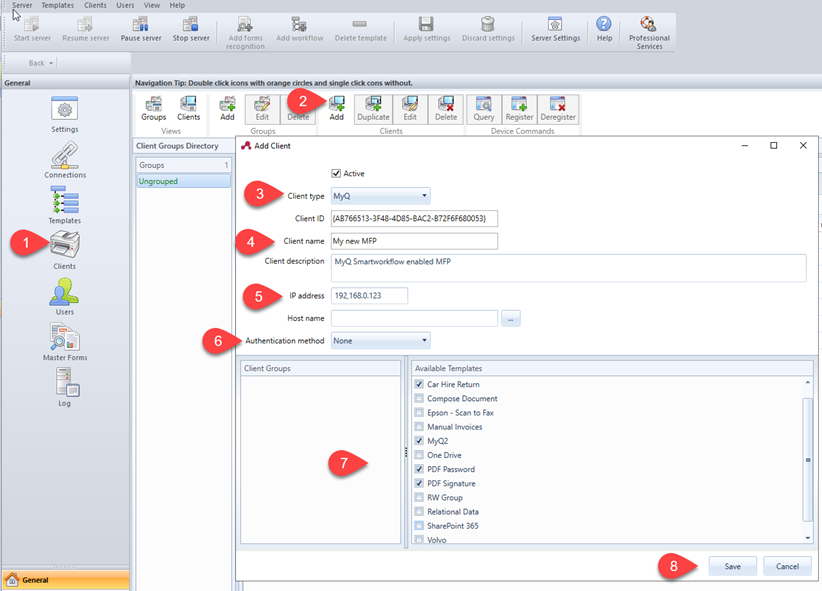
The clients you configure here represent the MyQ terminals connected to ScannerVision. To add a client, go to ScannerVision Processing Engine and:
-
Click Client on the Navigation Pane.
-
Click Add under the Clients view.
-
Choose MyQ as the Client type.
-
Optionally add a Client name and Client description.
-
Add the printing device's IP address (make sure to use the device's IP address and not the MyQ server one).
-
Choose an Authentication method from:
-
None - everyone can access the same templates
-
ScannerVision - Used for Single Sign On; Users have customized template lists.
-
-
Choose the templates to be accessed by everyone, in case None was the authentication method of choice.
-
Click Save.