The activation and setup of credit accounting is managed on the Credit settings tab (MyQ, Settings, Credit).
To set up credit accounting:
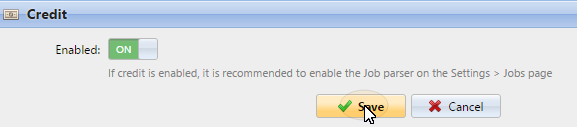
Enable credit accounting on the Credit settings tab:
Activate credit for a user or for a group of users:
-
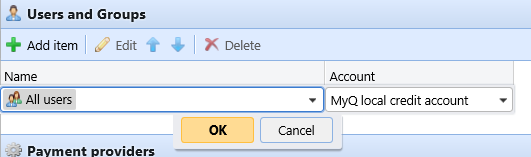
Under Users and Groups, click +Add item. A new item appears on the list of users and groups on the Credit settings tab.
-
Select a Name from the drop-down list:
-
Select an Account from the drop-down list. The available options are:
-
Managed by the printer
-
External credit account
-
MyQ local credit account
-
MyQ central credit account
-
-
-
Click OK to save the settings.
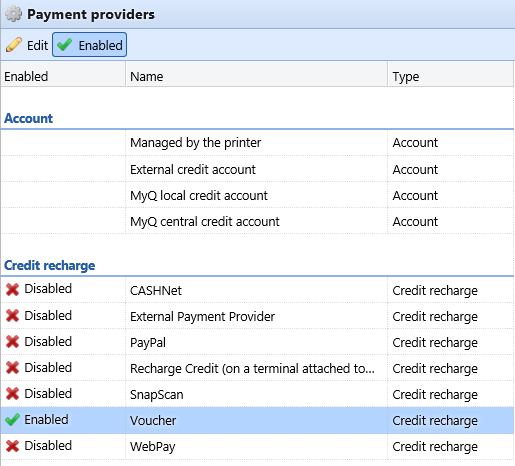
Enable/disable methods of payment for credit recharge
Available payment methods:
-
Recharge Credit (on a terminal attached to a printer)
-
Voucher
-
PayPal
-
External Payment Provider
-
WebPay
-
Recharge Terminal
-
CASHNet
-
TouchNet uPay
-
SnapScan
To enable any of these options (if disabled), select it in the Payment providers section, and then click Enabled on the bar at the top of the section (or right-click the item, and then click Enabled on the shortcut menu).